Free Online Photo Editor: Adjust & Filter
Non-destructive exposure, contrast, color temperature, and creative presets in your browser.
- Never uploaded
- No sign-up
- No watermark
- Unlimited
- Works offline
Drag and drop your photos or a folder. or
Up to 100 MB each
Your photos never leave your device. Read the privacy policy.
Light & Tone
Color & White Balance
Detail & Effects
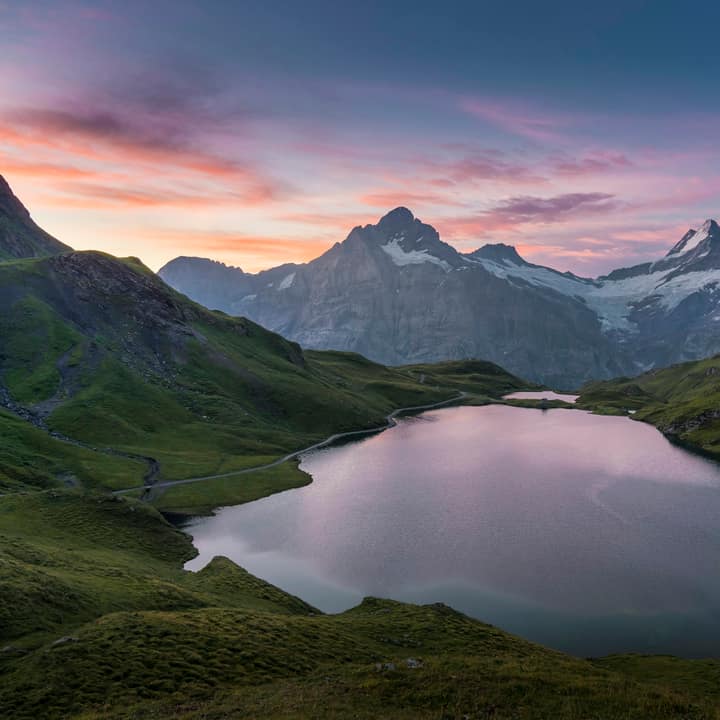
How to edit and enhance photos online
Select your photograph
Choose any high-resolution JPG, PNG, WebP, or AVIF image from your computer or smartphone.
Tune sliders or tap a preset
Use precise keyboard-accessible sliders, type exact numbers, or apply one of 8 one-tap color grading presets.
Compare and export full resolution
Hold to compare with your original photo at any time, then save the final result in pristine full resolution.
Single-pass WebGL2 pipeline
Applies 13 photographic adjustments simultaneously in hardware-accelerated shaders for silky 60fps responsiveness.
Instant hold-to-compare
Compare your edits against the original unedited shot with pointer press, spacebar hold, or accessible toggle.
Full-resolution master export
Edits are previewed on an optimized proxy and calculated at 100% original pixel resolution during export.
What is Photo Editor?
The Photo Editor delivers professional, non-destructive image adjustments directly inside your web browser. Powered by high-precision WebGL2 shader pipelines with a deterministic Canvas2D fallback, every adjustment—brightness, contrast, exposure, highlights, shadows, saturation, vibrance, temperature, tint, sharpening, vignette, grayscale, and sepia—is rendered in a single GPU pass. Process lightning-fast interactive previews in real time, compare your edits instantly with a dedicated hold-to-compare tool, navigate full 20-step undo and redo history, and export full-resolution master files without a single byte leaving your computer.
What happens to your photo
Four-step on-device pipeline from intake to final encoding without server roundtrips.
Intake
Decodes source images in browser memory with orientation correction and memory guardrails.
Proxy
Generates an optimized preview buffer to ensure instantaneous slider feedback without UI lag.
Shade
Executes non-destructive color transforms in high-precision WebGL2 floating-point shaders.
Master
Re-applies the complete adjustment matrix to full-resolution dimensions upon export.
100% Private on-device
Your personal, sensitive, or client images never leave your local browser sandbox.
20-Step history stack
Experiment fearlessly with complete 20-step undo and redo support across all adjustments.
8 One-tap presets
Vivid, Warm, Cool, Matte, B&W, Fade, Dramatic, and Soft presets crafted for instant style.
Dual keyboard sliders
Every slider features paired numeric inputs and standard keyboard arrow adjustments.
Selective vibrance
Intelligently boosts muted color tones while protecting natural human skin tones from clipping.
Canvas2D fallback
Automatic mathematical CPU fallback ensures flawless rendering on older hardware.
Read the full guide
Editing digital photographs should not require paid software subscriptions, heavy desktop application installs, or uploading sensitive personal snapshots to remote cloud processing servers. The Glowpixel Labs Photo Editor brings darkroom-grade color grading, tonal recovery, and creative styling directly to your browser tab. Operating entirely client-side on your device, this tool combines the speed of GPU shader execution with the absolute privacy of zero network transmission.
Professional Tonal Controls
Mastering light and tonal balance is the foundation of striking photography. The editor provides granular, independent controls over the critical tonal zones of your image:
- Exposure: Adjusts global photographic stops exponentially using true $2^{\text{EV}/50}$ scaling. Lifting exposure rescues underexposed raw captures taken in low-light environments, while lowering exposure recovers specular highlights and sky details.
- Brightness & Contrast: Calibrated around optical mid-gray ($128$), the contrast engine applies a non-destructive S-curve transfer function. Increasing contrast deepens dark tones and elevates highlights to create dramatic three-dimensional depth, while reducing contrast yields a soft, cinematic vintage look.
- Highlights & Shadows: Unlike blunt global brightness adjustments, Highlights targets strictly the upper luminance register ($\text{lum} > 128$) to restore texture in clouds, wedding dresses, and sunlit architecture. The Shadows slider lifts recessed details in dark foliage, backlit portrait subjects, and night scenes without muddying midtone clarity.
Color Temperature, Tint, and Selective Vibrance
Lighting conditions rarely match camera white balance perfectly. Fluorescent office lighting casts sickly green hues, while overcast skies leave photos looking cold and dreary.
- Temperature: Shifts color balance along the Kelvin temperature axis. Positive values infuse golden-hour warmth with rich amber and honey tones, ideal for portraiture, golden hour landscapes, and culinary photography. Negative values introduce cool Scandinavian blue tones for moody architectural and winter scenes.
- Tint: Balances the magenta-green axis. Correct fluorescent indoor lighting casts by adding gentle magenta, or counter harsh artificial magenta tints with natural olive greens.
- Saturation vs. Vibrance: Standard saturation tools apply an indiscriminate multiplier to all pixels, frequently causing skin tones to look garish and oversaturated. Our intelligent Vibrance algorithm calculates individual pixel saturation and selectively applies higher gain to muted, desaturated tones while dampening already intense colors. This protects delicate skin tones while bringing background landscapes and clothing to life.
Creative One-Tap Presets
When you want an instant aesthetic transformation without manual slider calibration, the editor provides 8 carefully balanced photographic presets:
- Vivid: Delivers punchy micro-contrast, vibrant color pop, and elevated exposure for travel and landscape captures.
- Warm: Infuses golden amber warmth, gentle magenta tint, and enriched skin tones.
- Cool: Creates clean, crisp modern editorial tones with oceanic blues and luminous highlights.
- Matte: Lifts deep blacks into velvety dark grays and softens specular peaks for a print-magazine look.
- B&W: Converts images to classic monochrome using ITU-R BT.601 weighted luminance with boosted tonal contrast.
- Fade: Mimics aged film emulsion with compressed dynamic range, lifted shadows, and gentle saturation rolloff.
- Dramatic: Combines punchy shadow depth, edge vignette falloff, and texture sharpening for moody portraits.
- Soft: Emulates portrait diffusion filters with subdued contrast, gentle highlights, and pastel color rendition.
Fine Detail, Vignette, and Finishing Touches
To complete your edit, the engine provides precision finishing tools:
- Sharpen: Executes a spatial 3x3 Laplacian unsharp mask convolution. It amplifies edge micro-contrast across fine details like eyelashes, fabric weave, and architectural lines without generating noisy halo artifacts.
- Vignette: Generates a natural radial optical falloff from the frame center. Using smoothstep polynomial interpolation, it gently darkens corners to draw viewer attention toward your central subject.
- Grayscale & Sepia: Convert photos to monochromatic elegance or antique 19th-century sepia tone with full percentage blending control.
Zero Latency, Total Privacy
Because every calculation executes directly in your browser’s WebGL2 and Canvas context, your original image files never leave your computer or phone. Experience instantaneous 60fps slider response, hold-to-compare verification, and complete 20-step undo history without subscriptions, ads, or data collection.
How it compares
How Photo Editor compares with server-based tools and desktop software.
| Feature | Glowpixel Photo Editor | Online Cloud Editors | Desktop Photo Suites |
|---|---|---|---|
| Privacy & Security | 100% On-device, 0 bytes sent | Images uploaded to cloud servers | Local, but requires paid software |
| Rendering Speed | Real-time WebGL2 GPU shader | Server round-trip latency | Local CPU/GPU processing |
| Account Requirement | Zero sign-up, completely free | Mandatory account and subscription | Expensive licenses or dongles |
| Hold-to-Compare | Pointer hold + accessible toggle | Often missing or click-only | Hotkey comparison |
| Full-Resolution Export | Included without compression penalties | Often downscaled behind paywall | Full resolution export |
Who uses it
Built for photographers, designers, developers, and privacy-conscious teams.
Photographers & Content Creators
Fix underexposed shots, balance golden-hour color warmth, and apply punchy contrast curves before sharing photos to social platforms.
E-Commerce Sellers & Merchants
Brighten product catalog shots, correct white balance across studio lighting variations, and sharpen fine texture details.
Privacy-Conscious Individuals
Touch up family portraits, confidential document scans, and personal snapshots with total assurance that images stay on your device.
Discover more
Preset sizes and formats
- Add Caption to Image Online Free: Top & Bottom Text
- Add Logo Watermark to Photo Online Free
- Add Text to Photo Online: Free Text Overlay Tool
- Add Text Watermark to Photo Online Free
- App Icon Generator for Web & Mobile PWAs
- Apple Touch Icon Generator Online Free
- Extract Arabic Text from an Image
- Convert AVIF to JPG
- Convert AVIF to PNG
- Convert Photo to Black and White
- Blur Face in Photo Free
- Blur License Plate in Car Photos
- Brighten Image Online: Lighten Dark Photos
- Censor Part of an Image Free
- Change Image Background to White
- Image Color Picker Online with Eyedropper
- Combine Photos Side by Side Online Free
- Compress AVIF
- Compress to 100KB
- Compress to 1MB
- Compress to 200KB
- Compress to 20KB
- Compress to 500KB
- Compress to 50KB
- Compress JPG
- Compress PNG
- Compress WEBP
- Convert Receipt to PDF
- Crop Image to 16:9 Widescreen
- Crop Image to 9:16 Vertical Ratio
- Crop Image to Circle Online Free
- Crop Image to Square
- Enlarge Images Without Losing Quality
- Extract Colors from Image Free
- Extract Text from an Image On Device
- Flip Image Horizontally or Vertically
- French Image to Text OCR
- Glow Effect Photo Editor
- Convert HEIC to JPG
- Convert HEIC to PDF
- Convert HEIC to PNG
- Convert HEIC to WebP
- Find Hex Code from Image Free
- Image Color Palette Generator Free
- Improve Image Quality Online with AI
- Increase Image Contrast
- Increase Image Resolution Online with AI
- Free Instagram Grid Splitter: 3x3 & 3x1 Tiles
- Convert JPG to ICO Favicon
- Convert JPG to PDF
- Convert JPG to PNG
- Convert JPG Photos to Editable Text
- Convert JPG to WebP
- Make a Meme Online Free: Custom Meme Maker
- Make Image Background Transparent in Browser
- Meme Caption Maker: Heavy Impact Typography
- Merge Images into PDF
- Passport Photo Background Remover Privately
- Free Photo Collage Maker: Multi-Photo Layouts
- Photo Filters Online: 8 One-Tap Looks
- Photo to Pencil Drawing: Realistic Sketch Filter
- Photo to Sketch Converter
- Pixel Art Converter: 8-Bit Retro Art
- Pixelate Image Online Free
- Convert PNG to AVIF
- Convert PNG to ICO Online Free
- Convert PNG to JPG
- Convert PNG to PDF
- Convert PNG to WebP
- Pop Art Photo Filter: Andy Warhol Style
- Product Photo Background Remover & Touch-up
- Remove Background from Image Online Privately
- Remove EXIF Data from JPG Files
- Remove EXIF and Metadata from PNG
- Remove GPS Location from Photos
- Remove Metadata from an Image
- Remove White Background from Images Privately
- Resize Image for Facebook Cover
- Resize Image for Instagram Feed
- Resize Image for Instagram Story
- Resize Image for YouTube Thumbnail
- Resize images by exact pixels
- Resize images to passport photo size
- Rotate Image Left or Right
- Turn a Scanned Image into Text
- Convert a Screenshot to Text Privately
- Sharpen Image Online: Fix Blurry Photos
- Spanish Image to Text OCR
- Split Image into Parts Online: Slices & Tiles
- Tiled Watermark on Image Online Free
- Upscale Images 4x with On-Device AI Super-Resolution
- View EXIF Data in a Photo
- Watermark Multiple Images in Batch
- Convert WebP to JPG
- Convert WebP to PDF
- Convert WebP to PNG
Upcoming image tools
Questions, answered
Common questions about formats, privacy, performance, and offline capabilities.
Is this photo editor completely free to use?
Yes. All adjustment controls, presets, compare tools, and full-resolution export functions are completely free with no subscriptions, accounts, or watermarks.
Does the photo editor upload my images to external servers?
No. All decoding, color mathematics, WebGL2 shader processing, and export encoding execute locally in your web browser. No image data is ever uploaded or transmitted across the network.
What is the difference between Saturation and Vibrance?
Saturation scales all color channels uniformly, which can easily cause human skin tones to look unnaturally orange or red. Vibrance selectively boosts desaturated and muted colors while preserving already saturated areas and natural skin tones.
How does the hold-to-compare feature work?
You can click and hold the Compare button with your mouse or finger, or simply click and hold anywhere on the preview canvas. Releasing restores your edits. You can also click the Compare button once to toggle compare mode for keyboard and screen-reader accessibility.
Can I undo mistakes if I adjust a slider too far?
Yes. The editor maintains a 20-step undo and redo history stack. Use the Undo and Redo buttons or standard keyboard shortcuts to navigate backward and forward through your editing choices.
What file formats can I edit and download?
You can open JPG, PNG, WebP, AVIF, and Apple HEIC photographs. When saving, the editor preserves transparency for PNG images and produces optimized, high-fidelity JPEG or PNG files.
Will editing reduce my photograph's original resolution?
No. While the live interactive canvas renders on an optimized downscaled proxy to maintain 60 frames per second responsiveness during slider dragging, final export applies the exact mathematical adjustment matrix to your master image at 100% original resolution.
What do Highlights and Shadows sliders do?
Highlights targets the brightest 50% of the image luminance, allowing you to recover detail in bright skies and reflective surfaces without darkening the entire image. Shadows targets the darkest 50% of luminance, lifting dark shadows without blowing out midtones.
What is the difference between WebGL2 and Canvas2D rendering?
WebGL2 processes pixel colors on your graphics card in parallel using 32-bit floating-point shaders. If your device or browser disables WebGL2, the editor automatically falls back to an identical Canvas2D CPU engine that yields visually identical results.
Can I reset all adjustments back to their default values?
Yes. Clicking the Reset button restores all 13 adjustment sliders and active presets back to neutral zero with a single click, while still allowing you to undo if you change your mind.
Related tools
Complementary image tools running 100% in your browser.
Last updated: