Passport Photo Background Remover Privately Online
Replace dark or patterned home backgrounds with official white or blue backdrops for visa and ID photos.
- Never uploaded
- No sign-up
- No watermark
- Unlimited
- Works offline
Drag and drop your photos or a folder. or
Up to 100 MB each
Your photos never leave your device. Read the privacy policy.
Downloads the AI model once (about 7 MB); your image never leaves your device.
Cutout coverage is low or incomplete. Try the Pets and objects model for better results on animals, products, and non-portrait photos.
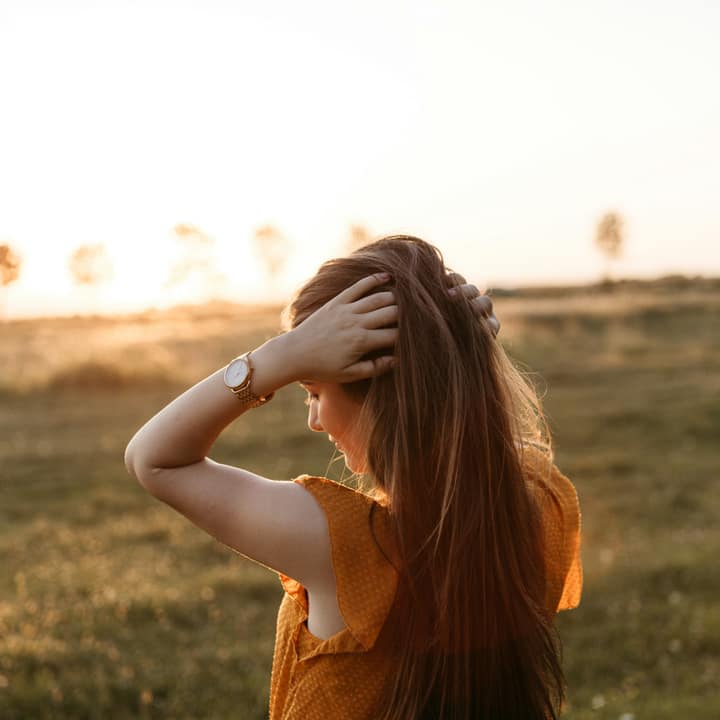
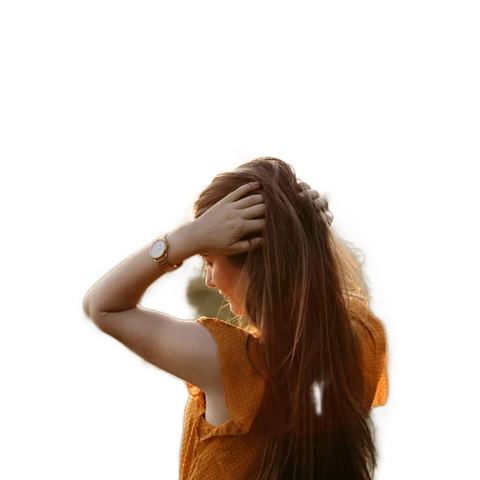
How to remove an image background
Select your image
Choose, drag, or paste a portrait or photo from your computer or phone (best results on people and portraits).
Instant AI matting
Run on-device AI segmentation to separate foreground subjects from busy backgrounds in seconds.
Refine and download
Adjust edges, replace the background color, brush manual touch-ups, and export as transparent PNG or WebP.
100% on-device AI
AI inference executes inside your browser via WebAssembly and WebGPU; image data is never uploaded to any remote server.
Edge refine & touch-up
Feather edges, expand or shrink cutout boundaries, and use brush restore and erase tools for strand-level control.
Flexible backdrops
Export clean transparent PNG cutouts, solid studio backdrops for ecommerce, or artistic background blur.
What is Background Remover?
Passport Photo Background Remover replaces home and office backgrounds with compliant solid white, light blue, or light gray backdrops required by passport agencies and visa authorities worldwide. Uses on-device Portraits AI model (~7 MB) for precise hair-level matting. It is model download only; your image never leaves your device.
What happens to your photo
Four-step on-device pipeline from intake to final encoding without server roundtrips.
Inspect
Loads the source photo locally and bounds maximum dimension to 4000 pixels for safe memory usage.
Preprocess
Converts image pixels to a normalized RGB float tensor matching the model input specifications.
Segment
Executes the on-device MODNet matting network using hardware-accelerated WebGPU or WebAssembly.
Upscale
Upscales the precision matte back to full image resolution and applies edge refinement filters.
Strict zero-upload privacy
Unlike remote AI services that store your photos, your visual content never leaves your local computer.
Compact cached model
The quantized 7 MB model downloads once and is stored in browser Cache Storage for instant offline reuse.
High-contrast preview
Inspect cutouts against a high-contrast transparency checkerboard to detect any leftover fringe or spill.
Edge boundary shifting
Erode or dilate the matte border by pixels to eliminate harsh background halos around complex silhouettes.
Manual touch-up brushes
Use keyboard-operable restore and erase brushes to hand-correct stray hairs, jewelry, or intricate cutouts.
Commercial-friendly license
Powered by an Apache-2.0 and MIT runtime stack without restrictive non-commercial or copyleft limitations.
Read the full guide
Applying for an official passport, travel visa, driver’s license, or national identity card requires meeting strict governmental photography standards. Government agencies almost universally reject ID submissions with shadowed backgrounds, visible wallpaper, household textures, or uneven lighting. Rather than paying expensive retail fees at a pharmacy or specialized photo studio, the Background Remover lets you convert an everyday smartphone portrait into an official passport photo with a compliant backdrop directly on your computer or phone.
Meeting governmental passport photo background standards
Different national passport authorities enforce specific background color criteria:
- United States & Canada: Plain white or off-white background with no visible shadows behind the ears, head, or shoulders.
- Schengen Area & United Kingdom: Plain light gray or cream background with even illumination and high contrast against dark hair.
- Asian & Middle Eastern Visas: Many jurisdictions (such as Malaysia or UAE specific work permits) require specific light blue or solid white backgrounds.
Our tool allows you to select solid pure white (#ffffff), soft neutral gray, or customized passport blue with a single click, instantly meeting your target consulate’s requirements.
Tips for capturing an optimal home passport portrait
To ensure your homemade passport photo passes government automated verification and biometric facial recognition checks:
- Maintain neutral expression and direct gaze: Face the camera squarely with eyes open and visible. Keep a neutral facial expression with your mouth closed.
- Ensure balanced facial lighting: Stand facing a bright window or diffuse light source to illuminate both cheeks evenly, avoiding dark shadows under the chin or nose.
- Keep hair away from the face: Tuck loose hair behind your ears so your full facial oval, eyebrows, and ears remain clearly visible to the AI segmentation model.
- Wear contrasting clothing: Avoid wearing a plain white shirt if applying for a white-background passport, as white fabric blends with white backdrops. Darker colors create sharp, clear shoulder silhouettes.
Edge refinement and brush touch-ups
Once the automated matting isolates your head and shoulders, inspect the border:
- Feather edges: Set the Feather slider to 1 pixel. This gentle transition mimics the natural focal depth of passport studio camera lenses, avoiding the artificial “cut-and-paste” look of cheap automated apps.
- Clean stray strands: If an errant flyaway hair creates an uneven border, use the Erase brush (
E) with a small radius to tidy up the crown of the head. - Restore collar details: If a dark tie or collar point was clipped, switch to the Restore brush (
R) to paint back the missing edge.
Absolute biometric privacy
Biometric facial images are highly sensitive personal identifiers. Submitting your passport photo to third-party cloud servers risks having your face stored in commercial databases or used to train proprietary facial recognition algorithms. Our on-device architecture ensures that your facial image never leaves your local hardware. Read our privacy policy for complete details on our zero-upload architecture.
Produce compliant, professional passport and visa photos from the comfort and privacy of your home in seconds.
How it compares
How Background Remover compares with server-based tools and desktop software.
| Capability | Glowpixel Labs | Typical cloud AI remover | Desktop photo software |
|---|---|---|---|
| Data privacy | 100% on-device (zero photo uploads) | Transfers photos to remote cloud servers | Local, but requires installed desktop software |
| Account required | None; instant browser access | Mandatory registration or subscription | Often requires paid desktop license |
| Model footprint | Compact quantized ~7 MB model | Server-hosted proprietary black box | Gigabytes of software and plugin downloads |
| Edge controls | Feather, boundary shift, and threshold | Rarely customizable; binary take-it-or-leave-it | Complex manual lasso and pen tools |
| Interactive touch-up | Integrated pointer and keyboard brushes | Usually unavailable or locked behind paid tier | Full manual brush suite |
| Licensing | Commercial-ready Apache-2.0 model | Proprietary terms, usage tiers, or watermarks | Varies by software purchase |
Who uses it
Built for photographers, designers, developers, and privacy-conscious teams.
Online sellers and ecommerce merchants
Quickly convert raw mobile product snapshots into clean white-background marketplace listings for Amazon, eBay, Shopify, and Etsy without monthly API subscription fees.
Graphic designers and marketers
Extract people, products, icons, and logos from stock photos to composite into promotional banners, YouTube thumbnails, social ads, and slide decks.
Privacy-minded creators and professionals
Process confidential staff headshots, ID photos, client assets, and personal memories with total confidence that unreleased images remain strictly on your physical machine.
Discover more
Preset sizes and formats
- Add Caption to Image Online Free: Top & Bottom Text
- Add Logo Watermark to Photo Online Free
- Add Text to Photo Online: Free Text Overlay Tool
- Add Text Watermark to Photo Online Free
- App Icon Generator for Web & Mobile PWAs
- Apple Touch Icon Generator Online Free
- Extract Arabic Text from an Image
- Convert AVIF to JPG
- Convert AVIF to PNG
- Convert Photo to Black and White
- Blur Face in Photo Free
- Blur License Plate in Car Photos
- Brighten Image Online: Lighten Dark Photos
- Censor Part of an Image Free
- Change Image Background to White
- Image Color Picker Online with Eyedropper
- Combine Photos Side by Side Online Free
- Compress AVIF
- Compress to 100KB
- Compress to 1MB
- Compress to 200KB
- Compress to 20KB
- Compress to 500KB
- Compress to 50KB
- Compress JPG
- Compress PNG
- Compress WEBP
- Convert Receipt to PDF
- Crop Image to 16:9 Widescreen
- Crop Image to 9:16 Vertical Ratio
- Crop Image to Circle Online Free
- Crop Image to Square
- Enlarge Images Without Losing Quality
- Extract Colors from Image Free
- Extract Text from an Image On Device
- Flip Image Horizontally or Vertically
- French Image to Text OCR
- Glow Effect Photo Editor
- Convert HEIC to JPG
- Convert HEIC to PDF
- Convert HEIC to PNG
- Convert HEIC to WebP
- Find Hex Code from Image Free
- Image Color Palette Generator Free
- Improve Image Quality Online with AI
- Increase Image Contrast
- Increase Image Resolution Online with AI
- Free Instagram Grid Splitter: 3x3 & 3x1 Tiles
- Convert JPG to ICO Favicon
- Convert JPG to PDF
- Convert JPG to PNG
- Convert JPG Photos to Editable Text
- Convert JPG to WebP
- Make a Meme Online Free: Custom Meme Maker
- Make Image Background Transparent in Browser
- Meme Caption Maker: Heavy Impact Typography
- Merge Images into PDF
- Passport Photo Background Remover Privately
- Free Photo Collage Maker: Multi-Photo Layouts
- Photo Filters Online: 8 One-Tap Looks
- Photo to Pencil Drawing: Realistic Sketch Filter
- Photo to Sketch Converter
- Pixel Art Converter: 8-Bit Retro Art
- Pixelate Image Online Free
- Convert PNG to AVIF
- Convert PNG to ICO Online Free
- Convert PNG to JPG
- Convert PNG to PDF
- Convert PNG to WebP
- Pop Art Photo Filter: Andy Warhol Style
- Product Photo Background Remover & Touch-up
- Remove Background from Image Online Privately
- Remove EXIF Data from JPG Files
- Remove EXIF and Metadata from PNG
- Remove GPS Location from Photos
- Remove Metadata from an Image
- Remove White Background from Images Privately
- Resize Image for Facebook Cover
- Resize Image for Instagram Feed
- Resize Image for Instagram Story
- Resize Image for YouTube Thumbnail
- Resize images by exact pixels
- Resize images to passport photo size
- Rotate Image Left or Right
- Turn a Scanned Image into Text
- Convert a Screenshot to Text Privately
- Sharpen Image Online: Fix Blurry Photos
- Spanish Image to Text OCR
- Split Image into Parts Online: Slices & Tiles
- Tiled Watermark on Image Online Free
- Upscale Images 4x with On-Device AI Super-Resolution
- View EXIF Data in a Photo
- Watermark Multiple Images in Batch
- Convert WebP to JPG
- Convert WebP to PDF
- Convert WebP to PNG
Upcoming image tools
Questions, answered
Common questions about formats, privacy, performance, and offline capabilities.
What background colors are accepted for passport photos?
The United States and most European nations require a plain white or off-white background. Several countries, including Malaysia and the Philippines, require or accept light blue. Check your specific consulate guidelines.
Can I take a passport photo against a living room wall?
Yes. Snap a clear, front-facing headshot with even lighting, then use this tool to replace your home wall and doorframes with compliant solid white or light blue.
Are sensitive biometric ID photos safe on this site?
Yes. Because processing executes 100% on your personal device using in-browser WebAssembly, it is model download only; your image never leaves your device. Your facial photo is never uploaded to any remote server or biometric database.
How can I avoid hair looking clipped or artificial?
Our neural matting model preserves individual hair strands. Set the Feather slider to 1 pixel to produce a natural optical boundary that looks photographed in a professional passport booth.
Can I combine this with resizing for passport specifications?
Yes. After removing the background, use our Image Resizer or Crop tool to set exact dimensions such as 2x2 inches (600x600 px) or 35x45 mm.
Related tools
Complementary image tools running 100% in your browser.
Last updated: