Extract Colors from Image Free Online
Pull dominant color schemes, hex codes, and percentages from any photo or graphic in your browser.
- Never uploaded
- No sign-up
- No watermark
- Unlimited
- Works offline
Drag and drop your photos or a folder. or
Up to 100 MB each
Your photos never leave your device. Read the privacy policy.
Dominant Color Palette
Eyedropper Sample
WCAG Contrast Checker
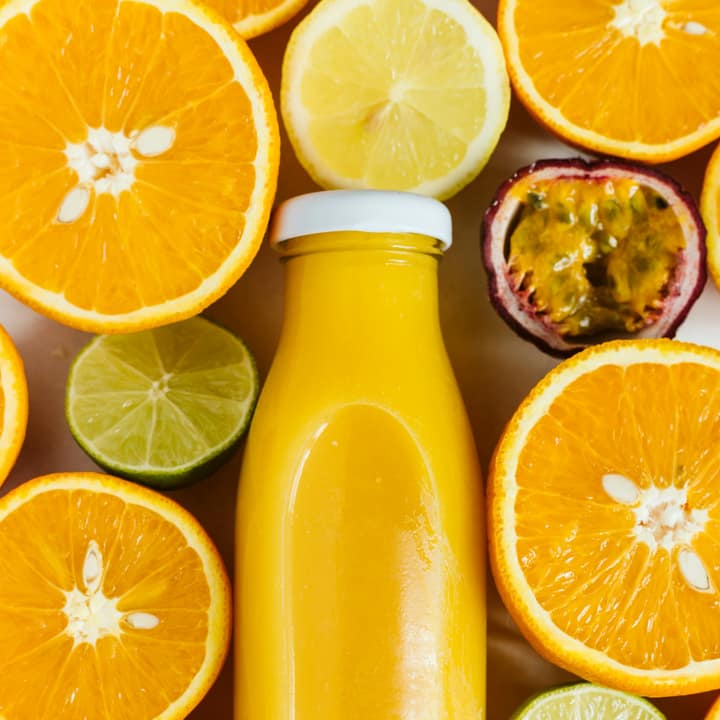
How to extract a color palette from an image
Select your image
Choose a photo, logo, painting, or UI screenshot in JPG, PNG, WebP, or AVIF format from your device.
Tune palette and test contrast
Adjust the color slider between 3 and 12 tones, sample custom pixels with the eyedropper, and verify WCAG contrast ratios.
Export swatches and code
Copy HEX, RGB, or HSL values with one click, or export the full palette as CSS custom properties, JSON, or a PNG swatch strip.
Deterministic color quantization
Uses intelligent clustering executed in a Web Worker to identify genuine dominant shades and prominence percentages reliably.
Interactive crosshair eyedropper
Sample any specific pixel color on the canvas with touch, click, or keyboard arrow navigation for micro-level color picking.
WCAG contrast checker
Evaluates foreground and background color combinations against web accessibility standards with instant AA and AAA badges.
What is Color Palette?
This page configures the Color Palette engine for automated dominant color extraction. Queue any photograph, artwork, or logo to isolate 3 to 12 primary color families sorted by visual prominence with exact percentages, available for instant copying in HEX, RGB, or HSL format.
What happens to your photo
Four-step on-device pipeline from intake to final encoding without server roundtrips.
Intake
Decodes the source photograph into client-side pixel memory with automatic orientation correction and memory guardrails.
Cluster
Downscales the canvas to 200 pixels and runs deterministic color quantization inside a non-blocking Web Worker thread.
Inspect
Renders live color cards with HEX, RGB, and HSL formats alongside an interactive canvas eyedropper with crosshair loupe.
Verify
Computes sRGB relative luminance and evaluates WCAG 2.1 contrast compliance for normal text, large headings, and UI icons.
Zero network transmission
Your photos, mood boards, unreleased brand assets, and design concepts never leave your browser memory.
Background worker execution
Heavy mathematical clustering runs asynchronously in a Web Worker, ensuring smooth, stutter-free interface scrolling.
One-click format copying
Click any color value to copy HEX, RGB, or HSL strings to your clipboard with immediate screen-reader confirmation.
Downloadable swatch strips
Generate high-resolution PNG swatch graphics complete with color blocks, hex codes, and prominence percentages.
Developer CSS variables
Export formatted :root CSS custom properties ready to paste directly into Tailwind, CSS modules, or style sheets.
Accessible keyboard navigation
Nudge the crosshair pixel-by-pixel with standard Arrow keys to inspect minute gradient shifts without a mouse.
Read the full guide
Whether you are designing a website, building an editorial brand guide, or seeking aesthetic inspiration for a creative illustration, extracting color palettes from real-world photography is one of the most effective ways to discover organic, harmonious color combinations. Nature, architecture, and professional photography inherently balance complementary tones, subtle shadow nuances, and vibrant focal points.
The preset on this page configures Color Palette specifically for extracting colors from images. Powered by our deterministic client-side clustering engine, you can isolate dominant color families, inspect exact prominence percentages, and export production-ready code in seconds.
Intelligent k-means clustering in a background worker
Manually sampling colors using a basic eyedropper often leads to unrepresentative palettes: a tiny specular glare can look like a dominant tone, while subtle midtone gradients that define the image’s atmosphere get overlooked.
Our automated extractor uses mathematical clustering to analyze the entire picture:
- Downscaled perceptual sampling: The image is downscaled to a 200-pixel canvas to eliminate high-frequency digital noise and JPEG compression artifacts while preserving broad lighting zones and major subject boundaries.
- K-means color quantization: Pixels are grouped into distinct mathematical clusters based on Euclidean distance in RGB color space. The algorithm iteratively moves cluster centroids until they lock onto the genuine visual centers of gravity of the photograph.
- True prominence percentages: Each extracted swatch displays its exact share of the composition (for example, “Deep Azure
#1e3a8a• 38.4%”). This allows designers to establish proportional 60-30-10 color balance rules in their layouts.
One-click format copying and code export
Once your colors are extracted, integrating them into your creative tools is instantaneous:
- Instant format copying: Click any individual color card to copy its HEX
#rrggbb,rgb(r, g, b), orhsl(h, s%, l%)string directly to your clipboard. An accessiblearia-livestatus announces the copy action for screen-reader users without interrupting your workflow. - Developer CSS variables: Click Copy CSS to grab formatted
:rootcustom properties ready to paste into Tailwind CSS themes, CSS variables, or styled-components stylesheets. - Structured JSON payload: Click Copy JSON to export an array containing full color specifications and percentage metrics for data-driven design systems.
- High-resolution PNG swatch strip: Click Download Swatch PNG to save a 1200×360 graphic strip complete with color blocks and typography, ideal for mood boards and client presentation decks.
Built-in accessibility verification
A great color palette must also be functional and accessible. Our integrated WCAG 2.1 Contrast Checker allows you to select any two extracted colors (or test them against pure white or black) to verify text legibility. Green and red badges indicate whether your chosen combination satisfies Level AA (4.5:1) or Level AAA (7.0:1) accessibility criteria for body copy, large headings, and interface components.
100% on-device privacy guarantee
Creative photography, unreleased logo designs, and confidential campaign mockups should never be uploaded to remote cloud services just to sample a few color values. Glowpixel Labs processes all image rendering and clustering directly in your local browser memory. No image data is ever transmitted across the internet. Read our privacy policy for full details on our local architecture.
How it compares
How Color Palette compares with server-based tools and desktop software.
| Feature | Glowpixel Color Palette | Online Cloud Extractors | Design Software Plugins |
|---|---|---|---|
| Privacy & Security | 100% On-device, 0 bytes sent | Images uploaded to cloud servers | Local, but requires paid software |
| Eyedropper Navigation | Click, touch + keyboard arrows | Basic click only or none | Advanced, but desktop-only |
| WCAG Contrast Checker | Built-in with AA/AAA badges | Rarely included | Separate plugin required |
| CSS & JSON Export | Ready-to-paste :root variables | Often paywalled or limited | Requires manual transcription |
| Worker Performance | Non-blocking Web Worker | Network transfer latency | Native desktop speed |
| Cost & Registration | Free, no sign-up or limits | Often requires account creation | Subscription or software purchase |
Who uses it
Built for photographers, designers, developers, and privacy-conscious teams.
Web & UI/UX Designers
Digital designers building website design systems, brand guidelines, and UI component libraries who need cohesive color ramps and guaranteed WCAG accessible contrast ratios.
Frontend Developers
Engineers translating visual mockups or marketing photography into CSS variables, Tailwind configurations, or theme tokens with one-click clipboard copying.
Digital Illustrators & Artists
Concept artists and illustrators extracting harmonious lighting palettes from reference photographs to establish mood boards and atmospheric color studies.
Brand & Marketing Teams
Creative agencies extracting dominant corporate palette swatches from hero campaign imagery to maintain visual consistency across slide decks and social graphics.
Discover more
Preset sizes and formats
- Add Caption to Image Online Free: Top & Bottom Text
- Add Logo Watermark to Photo Online Free
- Add Text to Photo Online: Free Text Overlay Tool
- Add Text Watermark to Photo Online Free
- App Icon Generator for Web & Mobile PWAs
- Apple Touch Icon Generator Online Free
- Extract Arabic Text from an Image
- Convert AVIF to JPG
- Convert AVIF to PNG
- Convert Photo to Black and White
- Blur Face in Photo Free
- Blur License Plate in Car Photos
- Brighten Image Online: Lighten Dark Photos
- Censor Part of an Image Free
- Change Image Background to White
- Image Color Picker Online with Eyedropper
- Combine Photos Side by Side Online Free
- Compress AVIF
- Compress to 100KB
- Compress to 1MB
- Compress to 200KB
- Compress to 20KB
- Compress to 500KB
- Compress to 50KB
- Compress JPG
- Compress PNG
- Compress WEBP
- Convert Receipt to PDF
- Crop Image to 16:9 Widescreen
- Crop Image to 9:16 Vertical Ratio
- Crop Image to Circle Online Free
- Crop Image to Square
- Enlarge Images Without Losing Quality
- Extract Colors from Image Free
- Extract Text from an Image On Device
- Flip Image Horizontally or Vertically
- French Image to Text OCR
- Glow Effect Photo Editor
- Convert HEIC to JPG
- Convert HEIC to PDF
- Convert HEIC to PNG
- Convert HEIC to WebP
- Find Hex Code from Image Free
- Image Color Palette Generator Free
- Improve Image Quality Online with AI
- Increase Image Contrast
- Increase Image Resolution Online with AI
- Free Instagram Grid Splitter: 3x3 & 3x1 Tiles
- Convert JPG to ICO Favicon
- Convert JPG to PDF
- Convert JPG to PNG
- Convert JPG Photos to Editable Text
- Convert JPG to WebP
- Make a Meme Online Free: Custom Meme Maker
- Make Image Background Transparent in Browser
- Meme Caption Maker: Heavy Impact Typography
- Merge Images into PDF
- Passport Photo Background Remover Privately
- Free Photo Collage Maker: Multi-Photo Layouts
- Photo Filters Online: 8 One-Tap Looks
- Photo to Pencil Drawing: Realistic Sketch Filter
- Photo to Sketch Converter
- Pixel Art Converter: 8-Bit Retro Art
- Pixelate Image Online Free
- Convert PNG to AVIF
- Convert PNG to ICO Online Free
- Convert PNG to JPG
- Convert PNG to PDF
- Convert PNG to WebP
- Pop Art Photo Filter: Andy Warhol Style
- Product Photo Background Remover & Touch-up
- Remove Background from Image Online Privately
- Remove EXIF Data from JPG Files
- Remove EXIF and Metadata from PNG
- Remove GPS Location from Photos
- Remove Metadata from an Image
- Remove White Background from Images Privately
- Resize Image for Facebook Cover
- Resize Image for Instagram Feed
- Resize Image for Instagram Story
- Resize Image for YouTube Thumbnail
- Resize images by exact pixels
- Resize images to passport photo size
- Rotate Image Left or Right
- Turn a Scanned Image into Text
- Convert a Screenshot to Text Privately
- Sharpen Image Online: Fix Blurry Photos
- Spanish Image to Text OCR
- Split Image into Parts Online: Slices & Tiles
- Tiled Watermark on Image Online Free
- Upscale Images 4x with On-Device AI Super-Resolution
- View EXIF Data in a Photo
- Watermark Multiple Images in Batch
- Convert WebP to JPG
- Convert WebP to PDF
- Convert WebP to PNG
Upcoming image tools
Questions, answered
Common questions about formats, privacy, performance, and offline capabilities.
How does the tool know which colors are dominant?
The engine runs a deterministic k-means clustering algorithm that groups similar pixels into mathematical clusters in 3D color space. Clusters are ranked by the total volume of pixels they represent, providing an accurate percentage distribution of the image's visual composition.
Can I extract more or fewer colors from my photo?
Yes. Adjust the color count slider between 3 and 12 tones. The clustering algorithm dynamically recalculates and returns the exact number of dominant shades you specify.
Are transparent areas included in the extracted colors?
No. Transparent and semi-transparent pixels are automatically filtered out during intake, ensuring that transparent PNG backgrounds do not distort your palette results.
Are my photos uploaded to external servers?
No. The entire color extraction process runs 100% locally on your computer or phone using client-side JavaScript. Your photos are never uploaded or stored anywhere.
Related tools
Complementary image tools running 100% in your browser.
Last updated: