Find Hex Code from Image Free Online
Get exact 6-digit hex color codes from any photo or graphic with one-click clipboard copying.
- Never uploaded
- No sign-up
- No watermark
- Unlimited
- Works offline
Drag and drop your photos or a folder. or
Up to 100 MB each
Your photos never leave your device. Read the privacy policy.
Dominant Color Palette
Eyedropper Sample
WCAG Contrast Checker
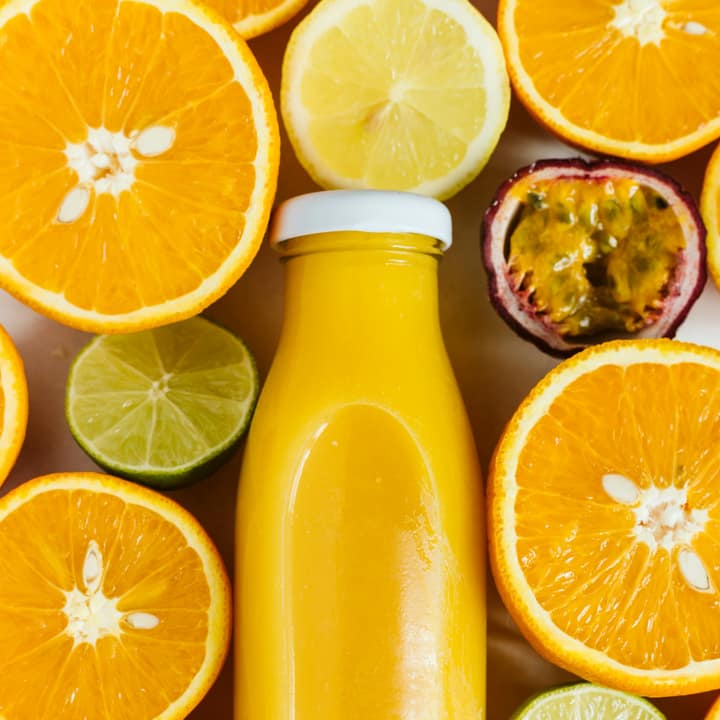
How to extract a color palette from an image
Select your image
Choose a photo, logo, painting, or UI screenshot in JPG, PNG, WebP, or AVIF format from your device.
Tune palette and test contrast
Adjust the color slider between 3 and 12 tones, sample custom pixels with the eyedropper, and verify WCAG contrast ratios.
Export swatches and code
Copy HEX, RGB, or HSL values with one click, or export the full palette as CSS custom properties, JSON, or a PNG swatch strip.
Deterministic color quantization
Uses intelligent clustering executed in a Web Worker to identify genuine dominant shades and prominence percentages reliably.
Interactive crosshair eyedropper
Sample any specific pixel color on the canvas with touch, click, or keyboard arrow navigation for micro-level color picking.
WCAG contrast checker
Evaluates foreground and background color combinations against web accessibility standards with instant AA and AAA badges.
What is Color Palette?
This page configures the Color Palette tool specifically for discovering hex codes in photos and graphics. Use the interactive crosshair eyedropper or automated dominant palette swatches to reveal exact 6-digit hex color codes (#rrggbb) with one-click clipboard copying and zero uploads.
What happens to your photo
Four-step on-device pipeline from intake to final encoding without server roundtrips.
Intake
Decodes the source photograph into client-side pixel memory with automatic orientation correction and memory guardrails.
Cluster
Downscales the canvas to 200 pixels and runs deterministic color quantization inside a non-blocking Web Worker thread.
Inspect
Renders live color cards with HEX, RGB, and HSL formats alongside an interactive canvas eyedropper with crosshair loupe.
Verify
Computes sRGB relative luminance and evaluates WCAG 2.1 contrast compliance for normal text, large headings, and UI icons.
Zero network transmission
Your photos, mood boards, unreleased brand assets, and design concepts never leave your browser memory.
Background worker execution
Heavy mathematical clustering runs asynchronously in a Web Worker, ensuring smooth, stutter-free interface scrolling.
One-click format copying
Click any color value to copy HEX, RGB, or HSL strings to your clipboard with immediate screen-reader confirmation.
Downloadable swatch strips
Generate high-resolution PNG swatch graphics complete with color blocks, hex codes, and prominence percentages.
Developer CSS variables
Export formatted :root CSS custom properties ready to paste directly into Tailwind, CSS modules, or style sheets.
Accessible keyboard navigation
Nudge the crosshair pixel-by-pixel with standard Arrow keys to inspect minute gradient shifts without a mouse.
Read the full guide
Finding the exact hex color code for a color you see in an image is a daily necessity for frontend developers, graphic designers, digital marketers, and creative artists. Whether you need to match a client’s logo color, replicate the background hue of an infographic, or find the hex code of a garment in an e-commerce catalog, you need an accurate, instant, and frictionless way to get the exact 6-digit code.
The preset on this page configures Color Palette specifically for finding hex codes from images. Using our interactive canvas eyedropper and automated color clustering, you can identify hex codes for individual pixels or extract the top dominant color codes from the entire photo in seconds.
Two ways to find hex codes: manual eyedropper or automated palette
Our on-device tool provides two complementary methods for extracting hex values:
- Pinpoint Eyedropper Sampling: Click or tap anywhere across your image to immediately reveal the hex code of that specific coordinate. Use the keyboard Arrow keys to nudge the crosshair pixel-by-pixel for flawless micro-alignment across small icons, thin text strokes, or intricate illustrations.
- Automated Dominant Palette Extraction: If you want the primary theme colors of the photograph rather than a single pixel, the background Web Worker automatically clusters the entire image and returns the top 3 to 12 dominant hex codes ranked by prominence percentage.
One-click clipboard copying with accessible confirmation
Tired of highlighting and manually copying text from color picker tools? Our interface streamlines color extraction:
- Single-click copying: Simply click any hex code button to immediately copy
#rrggbbdirectly to your operating system clipboard. - Accessible screen-reader feedback: The tool uses an
aria-livepolite status notification to confirm the copy event, ensuring clear feedback for both sighted and screen-reader users without disruptive alert dialogues. - Alternative color models: Need more than hex? Every swatch and sampled pixel also provides instant copy buttons for standard RGB
rgb(r, g, b)and HSLhsl(h, s%, l%)formats.
Accessibility testing and developer exports
Once you have identified your desired hex codes, our built-in toolset helps you verify and implement them:
- WCAG 2.1 Contrast Testing: Test any two hex codes against each other to evaluate visual contrast. The checker displays real-time ratios and indicates whether the combination passes Level AA or Level AAA standards for normal body copy, large headings, and interface components.
- Export Formats: Export your complete palette of hex codes as formatted CSS custom properties (
--palette-1: #...;), structured JSON data, or a downloadable 1200×360 PNG swatch graphic.
Hex color codes in modern web development
Hexadecimal notation remains the universal standard across web stylesheets, SVG graphics, and design applications:
- Compact 6-digit syntax: Hex strings encapsulate three 8-bit color channels into a compact, human-readable format supported by all web browsers and design editors.
- Direct CSS integration: Paste copied hex strings straight into CSS rule definitions, Tailwind configuration classes, or Figma color styles without manual conversion.
- Unambiguous color definition: Unlike device-dependent color names, a 6-digit hex code specifies exact RGB light levels for consistent visual reproduction across modern displays.
100% on-device privacy guarantee
Personal photos, unreleased brand assets, and confidential mockups should never be uploaded to remote cloud services just to inspect a hex code. Glowpixel Labs executes all image decoding, pixel sampling, and color calculations locally on your own machine. Your files never leave your device. Read our privacy policy for full details on our client-side architecture.
How it compares
How Color Palette compares with server-based tools and desktop software.
| Feature | Glowpixel Color Palette | Online Cloud Extractors | Design Software Plugins |
|---|---|---|---|
| Privacy & Security | 100% On-device, 0 bytes sent | Images uploaded to cloud servers | Local, but requires paid software |
| Eyedropper Navigation | Click, touch + keyboard arrows | Basic click only or none | Advanced, but desktop-only |
| WCAG Contrast Checker | Built-in with AA/AAA badges | Rarely included | Separate plugin required |
| CSS & JSON Export | Ready-to-paste :root variables | Often paywalled or limited | Requires manual transcription |
| Worker Performance | Non-blocking Web Worker | Network transfer latency | Native desktop speed |
| Cost & Registration | Free, no sign-up or limits | Often requires account creation | Subscription or software purchase |
Who uses it
Built for photographers, designers, developers, and privacy-conscious teams.
Web & UI/UX Designers
Digital designers building website design systems, brand guidelines, and UI component libraries who need cohesive color ramps and guaranteed WCAG accessible contrast ratios.
Frontend Developers
Engineers translating visual mockups or marketing photography into CSS variables, Tailwind configurations, or theme tokens with one-click clipboard copying.
Digital Illustrators & Artists
Concept artists and illustrators extracting harmonious lighting palettes from reference photographs to establish mood boards and atmospheric color studies.
Brand & Marketing Teams
Creative agencies extracting dominant corporate palette swatches from hero campaign imagery to maintain visual consistency across slide decks and social graphics.
Discover more
Preset sizes and formats
- Add Caption to Image Online Free: Top & Bottom Text
- Add Logo Watermark to Photo Online Free
- Add Text to Photo Online: Free Text Overlay Tool
- Add Text Watermark to Photo Online Free
- App Icon Generator for Web & Mobile PWAs
- Apple Touch Icon Generator Online Free
- Extract Arabic Text from an Image
- Convert AVIF to JPG
- Convert AVIF to PNG
- Convert Photo to Black and White
- Blur Face in Photo Free
- Blur License Plate in Car Photos
- Brighten Image Online: Lighten Dark Photos
- Censor Part of an Image Free
- Change Image Background to White
- Image Color Picker Online with Eyedropper
- Combine Photos Side by Side Online Free
- Compress AVIF
- Compress to 100KB
- Compress to 1MB
- Compress to 200KB
- Compress to 20KB
- Compress to 500KB
- Compress to 50KB
- Compress JPG
- Compress PNG
- Compress WEBP
- Convert Receipt to PDF
- Crop Image to 16:9 Widescreen
- Crop Image to 9:16 Vertical Ratio
- Crop Image to Circle Online Free
- Crop Image to Square
- Enlarge Images Without Losing Quality
- Extract Colors from Image Free
- Extract Text from an Image On Device
- Flip Image Horizontally or Vertically
- French Image to Text OCR
- Glow Effect Photo Editor
- Convert HEIC to JPG
- Convert HEIC to PDF
- Convert HEIC to PNG
- Convert HEIC to WebP
- Find Hex Code from Image Free
- Image Color Palette Generator Free
- Improve Image Quality Online with AI
- Increase Image Contrast
- Increase Image Resolution Online with AI
- Free Instagram Grid Splitter: 3x3 & 3x1 Tiles
- Convert JPG to ICO Favicon
- Convert JPG to PDF
- Convert JPG to PNG
- Convert JPG Photos to Editable Text
- Convert JPG to WebP
- Make a Meme Online Free: Custom Meme Maker
- Make Image Background Transparent in Browser
- Meme Caption Maker: Heavy Impact Typography
- Merge Images into PDF
- Passport Photo Background Remover Privately
- Free Photo Collage Maker: Multi-Photo Layouts
- Photo Filters Online: 8 One-Tap Looks
- Photo to Pencil Drawing: Realistic Sketch Filter
- Photo to Sketch Converter
- Pixel Art Converter: 8-Bit Retro Art
- Pixelate Image Online Free
- Convert PNG to AVIF
- Convert PNG to ICO Online Free
- Convert PNG to JPG
- Convert PNG to PDF
- Convert PNG to WebP
- Pop Art Photo Filter: Andy Warhol Style
- Product Photo Background Remover & Touch-up
- Remove Background from Image Online Privately
- Remove EXIF Data from JPG Files
- Remove EXIF and Metadata from PNG
- Remove GPS Location from Photos
- Remove Metadata from an Image
- Remove White Background from Images Privately
- Resize Image for Facebook Cover
- Resize Image for Instagram Feed
- Resize Image for Instagram Story
- Resize Image for YouTube Thumbnail
- Resize images by exact pixels
- Resize images to passport photo size
- Rotate Image Left or Right
- Turn a Scanned Image into Text
- Convert a Screenshot to Text Privately
- Sharpen Image Online: Fix Blurry Photos
- Spanish Image to Text OCR
- Split Image into Parts Online: Slices & Tiles
- Tiled Watermark on Image Online Free
- Upscale Images 4x with On-Device AI Super-Resolution
- View EXIF Data in a Photo
- Watermark Multiple Images in Batch
- Convert WebP to JPG
- Convert WebP to PDF
- Convert WebP to PNG
Upcoming image tools
Questions, answered
Common questions about formats, privacy, performance, and offline capabilities.
What is a hex color code?
A hexadecimal color code is a 6-character alphanumeric string preceded by a hash symbol (#rrggbb). It represents the intensity of red, green, and blue light components on a scale from 00 (0) to FF (255), commonly used in CSS, HTML, and digital graphic software.
How do I find the hex code of a specific pixel in my image?
Click or tap on any point in the image preview canvas. The eyedropper instantly inspects that coordinate and displays its 6-digit hex code in the sample card with a one-click copy button.
Can I copy RGB and HSL codes instead of hex?
Yes. Every color card and sampled eyedropper reading provides separate one-click copy buttons for HEX, RGB rgb(r, g, b), and HSL hsl(h, s%, l%) formats.
Is any image data sent over the internet?
No. The entire hex inspection and palette extraction process executes 100% locally inside your web browser. Your images remain private on your computer or phone.
Related tools
Complementary image tools running 100% in your browser.
Last updated: