Increase Image Contrast Online
Boost dynamic range, deepen darks, and make flat, washed-out pictures pop with punchy clarity.
- Never uploaded
- No sign-up
- No watermark
- Unlimited
- Works offline
Drag and drop your photos or a folder. or
Up to 100 MB each
Your photos never leave your device. Read the privacy policy.
Light & Tone
Color & White Balance
Detail & Effects
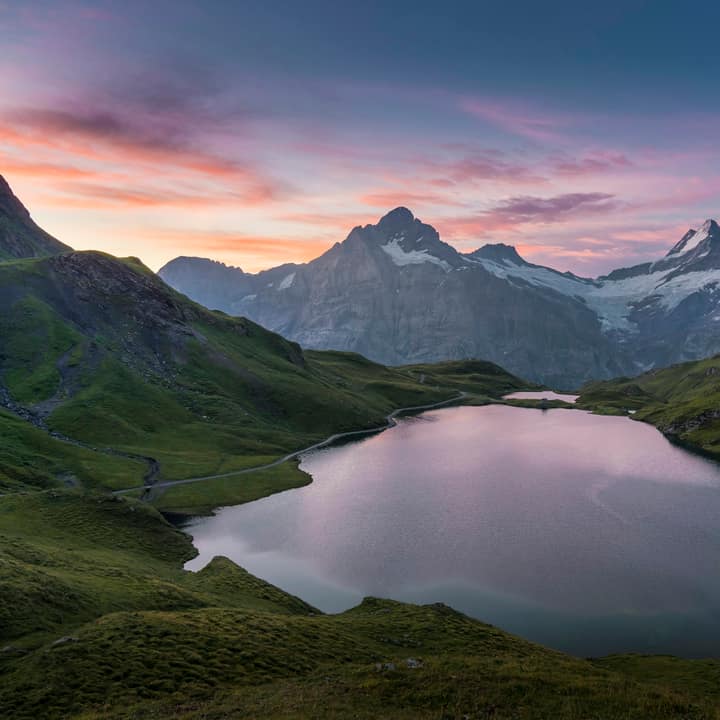
How to edit and enhance photos online
Select your photograph
Choose any high-resolution JPG, PNG, WebP, or AVIF image from your computer or smartphone.
Tune sliders or tap a preset
Use precise keyboard-accessible sliders, type exact numbers, or apply one of 8 one-tap color grading presets.
Compare and export full resolution
Hold to compare with your original photo at any time, then save the final result in pristine full resolution.
Single-pass WebGL2 pipeline
Applies 13 photographic adjustments simultaneously in hardware-accelerated shaders for silky 60fps responsiveness.
Instant hold-to-compare
Compare your edits against the original unedited shot with pointer press, spacebar hold, or accessible toggle.
Full-resolution master export
Edits are previewed on an optimized proxy and calculated at 100% original pixel resolution during export.
What is Photo Editor?
Increase Image Contrast configures the Photo Editor to amplify dynamic range and visual depth in flat, hazy, or washed-out photos. Centered around mid-gray, the S-curve contrast algorithm pushes dark tones deeper while making bright highlights shine, transforming dull snapshots into punchy, vibrant imagery right in your web browser.
What happens to your photo
Four-step on-device pipeline from intake to final encoding without server roundtrips.
Intake
Decodes source images in browser memory with orientation correction and memory guardrails.
Proxy
Generates an optimized preview buffer to ensure instantaneous slider feedback without UI lag.
Shade
Executes non-destructive color transforms in high-precision WebGL2 floating-point shaders.
Master
Re-applies the complete adjustment matrix to full-resolution dimensions upon export.
100% Private on-device
Your personal, sensitive, or client images never leave your local browser sandbox.
20-Step history stack
Experiment fearlessly with complete 20-step undo and redo support across all adjustments.
8 One-tap presets
Vivid, Warm, Cool, Matte, B&W, Fade, Dramatic, and Soft presets crafted for instant style.
Dual keyboard sliders
Every slider features paired numeric inputs and standard keyboard arrow adjustments.
Selective vibrance
Intelligently boosts muted color tones while protecting natural human skin tones from clipping.
Canvas2D fallback
Automatic mathematical CPU fallback ensures flawless rendering on older hardware.
Read the full guide
Photographs taken in overcast weather, through airplane windows, or under flat fluorescent lighting often look hazy, dull, and lifeless. When dynamic range is compressed, the image lacks visual punch: shadows look like washed-out grays, highlights lack brilliance, and colors appear muted and faded.
The configuration on this page optimizes the Photo Editor specifically for increasing image contrast. Featuring a non-destructive S-curve contrast engine centered precisely at optical mid-gray, you can bring punchy clarity and rich depth back to your photos in seconds.
The mechanics of photographic contrast
Digital contrast works by expanding the histogram distance between the dark and light values in an image. When contrast is low, all pixel values cluster tightly around the middle of the tonal spectrum ($90\text{–}160$).
Our precision on-device engine applies a calibrated photographic transfer curve:
- Mid-gray pivot ($128$): The contrast multiplier operates around optical neutral gray ($128$). Pixels darker than $128$ are smoothly driven deeper toward rich photographic black, while pixels brighter than $128$ are pushed upward toward luminous highlights.
- Highlight recovery dampening: Standard contrast adjustments can easily blow out delicate cloud formations or bright white clothing. Our engine pairs contrast with subtle highlight rolloff to preserve essential highlight detail.
- Simultaneous vibrance boost: Because the human eye perceives increased contrast alongside richer color saturation, the engine automatically enhances vibrance, preventing colors from appearing dry or unnatural.
When should you increase image contrast?
- Atmospheric de-hazing: Landscape photos taken on hazy or humid days scatter ambient light across the camera lens, covering the scene in a dull white veil. Boosting contrast by $+25$ to $+40$ cuts through the atmospheric haze and reveals crisp mountain ridges and blue horizons.
- Scanning faded prints and documents: Old analog family photographs and documents often fade over decades, losing deep black ink and contrast. Raising contrast restores deep charcoal blacks and brightens aging paper backgrounds.
- E-Commerce and social media thumbnails: In busy social feeds and crowded marketplace listings, high-contrast images immediately capture human attention. Crisp contrasts emphasize product silhouettes, jewelry facets, and apparel stitching.
- Architectural and street photography: Hard shadows and bright architectural highlights create dramatic geometric angles. Boosting contrast accentuates textures on brickwork, concrete, and asphalt.
Instant verification and local security
Use the built-in hold-to-compare button or tap your canvas at any time to verify that your contrast adjustments enhance the image without crushing shadow details or blowing out highlights.
Best of all, your personal photos, family portraits, and confidential creative assets remain strictly confidential. Unlike cloud-based editing apps that upload pictures to third-party servers, Glowpixel Labs processes all pixels locally on your computer or phone. Read our privacy policy to explore our zero-upload security model.
How it compares
How Photo Editor compares with server-based tools and desktop software.
| Feature | Glowpixel Photo Editor | Online Cloud Editors | Desktop Photo Suites |
|---|---|---|---|
| Privacy & Security | 100% On-device, 0 bytes sent | Images uploaded to cloud servers | Local, but requires paid software |
| Rendering Speed | Real-time WebGL2 GPU shader | Server round-trip latency | Local CPU/GPU processing |
| Account Requirement | Zero sign-up, completely free | Mandatory account and subscription | Expensive licenses or dongles |
| Hold-to-Compare | Pointer hold + accessible toggle | Often missing or click-only | Hotkey comparison |
| Full-Resolution Export | Included without compression penalties | Often downscaled behind paywall | Full resolution export |
Who uses it
Built for photographers, designers, developers, and privacy-conscious teams.
Photographers & Content Creators
Fix underexposed shots, balance golden-hour color warmth, and apply punchy contrast curves before sharing photos to social platforms.
E-Commerce Sellers & Merchants
Brighten product catalog shots, correct white balance across studio lighting variations, and sharpen fine texture details.
Privacy-Conscious Individuals
Touch up family portraits, confidential document scans, and personal snapshots with total assurance that images stay on your device.
Discover more
Preset sizes and formats
- Add Caption to Image Online Free: Top & Bottom Text
- Add Logo Watermark to Photo Online Free
- Add Text to Photo Online: Free Text Overlay Tool
- Add Text Watermark to Photo Online Free
- App Icon Generator for Web & Mobile PWAs
- Apple Touch Icon Generator Online Free
- Extract Arabic Text from an Image
- Convert AVIF to JPG
- Convert AVIF to PNG
- Convert Photo to Black and White
- Blur Face in Photo Free
- Blur License Plate in Car Photos
- Brighten Image Online: Lighten Dark Photos
- Censor Part of an Image Free
- Change Image Background to White
- Image Color Picker Online with Eyedropper
- Combine Photos Side by Side Online Free
- Compress AVIF
- Compress to 100KB
- Compress to 1MB
- Compress to 200KB
- Compress to 20KB
- Compress to 500KB
- Compress to 50KB
- Compress JPG
- Compress PNG
- Compress WEBP
- Convert Receipt to PDF
- Crop Image to 16:9 Widescreen
- Crop Image to 9:16 Vertical Ratio
- Crop Image to Circle Online Free
- Crop Image to Square
- Enlarge Images Without Losing Quality
- Extract Colors from Image Free
- Extract Text from an Image On Device
- Flip Image Horizontally or Vertically
- French Image to Text OCR
- Glow Effect Photo Editor
- Convert HEIC to JPG
- Convert HEIC to PDF
- Convert HEIC to PNG
- Convert HEIC to WebP
- Find Hex Code from Image Free
- Image Color Palette Generator Free
- Improve Image Quality Online with AI
- Increase Image Contrast
- Increase Image Resolution Online with AI
- Free Instagram Grid Splitter: 3x3 & 3x1 Tiles
- Convert JPG to ICO Favicon
- Convert JPG to PDF
- Convert JPG to PNG
- Convert JPG Photos to Editable Text
- Convert JPG to WebP
- Make a Meme Online Free: Custom Meme Maker
- Make Image Background Transparent in Browser
- Meme Caption Maker: Heavy Impact Typography
- Merge Images into PDF
- Passport Photo Background Remover Privately
- Free Photo Collage Maker: Multi-Photo Layouts
- Photo Filters Online: 8 One-Tap Looks
- Photo to Pencil Drawing: Realistic Sketch Filter
- Photo to Sketch Converter
- Pixel Art Converter: 8-Bit Retro Art
- Pixelate Image Online Free
- Convert PNG to AVIF
- Convert PNG to ICO Online Free
- Convert PNG to JPG
- Convert PNG to PDF
- Convert PNG to WebP
- Pop Art Photo Filter: Andy Warhol Style
- Product Photo Background Remover & Touch-up
- Remove Background from Image Online Privately
- Remove EXIF Data from JPG Files
- Remove EXIF and Metadata from PNG
- Remove GPS Location from Photos
- Remove Metadata from an Image
- Remove White Background from Images Privately
- Resize Image for Facebook Cover
- Resize Image for Instagram Feed
- Resize Image for Instagram Story
- Resize Image for YouTube Thumbnail
- Resize images by exact pixels
- Resize images to passport photo size
- Rotate Image Left or Right
- Turn a Scanned Image into Text
- Convert a Screenshot to Text Privately
- Sharpen Image Online: Fix Blurry Photos
- Spanish Image to Text OCR
- Split Image into Parts Online: Slices & Tiles
- Tiled Watermark on Image Online Free
- Upscale Images 4x with On-Device AI Super-Resolution
- View EXIF Data in a Photo
- Watermark Multiple Images in Batch
- Convert WebP to JPG
- Convert WebP to PDF
- Convert WebP to PNG
Upcoming image tools
Questions, answered
Common questions about formats, privacy, performance, and offline capabilities.
What does increasing image contrast actually do?
Contrast expands the separation between the darkest and brightest areas of a photograph. Increasing contrast pushes dark values darker and bright values brighter, adding three-dimensional visual depth and eliminating flat, washed-out haze.
How do I know if I have added too much contrast?
Too much contrast causes 'clipping,' where dark shadow areas turn into solid pitch-black blobs and bright highlight areas turn pure solid white, losing detail. Use the Compare button to verify that textures in shadows and skies remain visible.
Can I increase contrast on smartphone photos taken through glass or haze?
Yes. Photos taken through airplane windows, car windshields, or in foggy conditions often look washed out due to atmospheric light scattering. Increasing contrast effectively de-hazes the image and restores vivid color saturation.
Does boosting contrast upload my photo to any server?
No. All contrast S-curves and pixel calculations run entirely inside your local browser via GPU WebGL2 shaders. No files are ever sent over the internet.
Related tools
Complementary image tools running 100% in your browser.
Last updated: