Pixel Art Converter: 8-Bit Retro Art Online
Turn photos into nostalgic 8-bit and 16-bit arcade video game sprites and pixel illustrations.
- Never uploaded
- No sign-up
- No watermark
- Unlimited
- Works offline
Drag and drop your photos or a folder. or
Up to 100 MB each
Your photos never leave your device. Read the privacy policy.
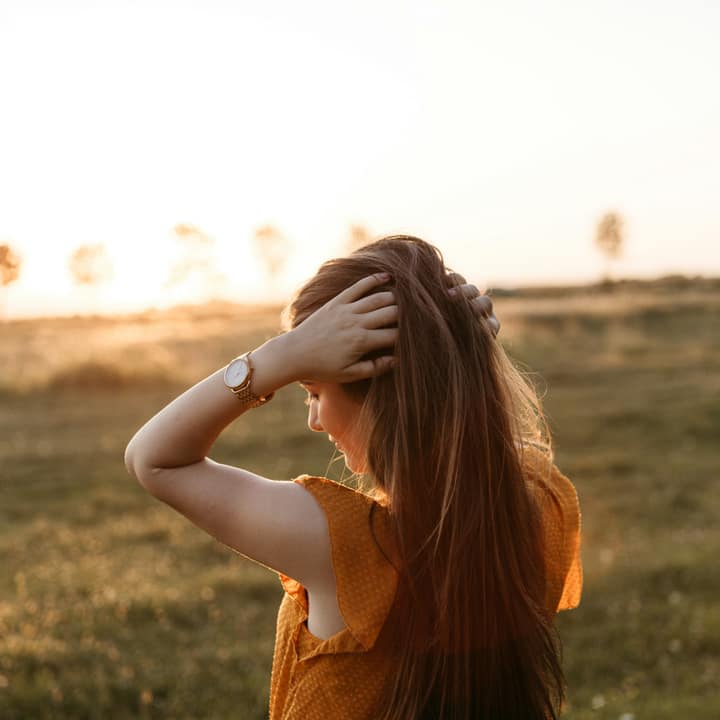
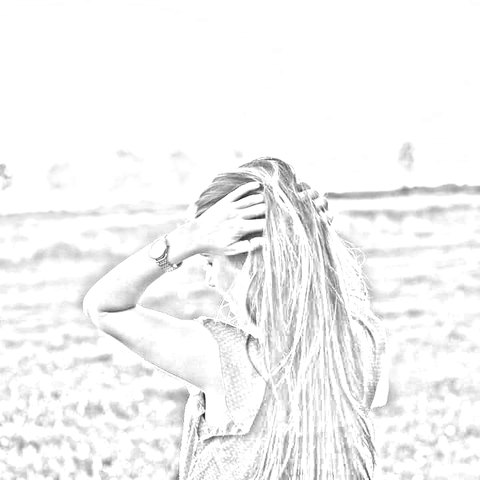
How to convert photos to sketch and artistic filters
Choose your photos
Select a single picture or a batch of up to 50 images in JPG, PNG, WebP, or AVIF format.
Select an artistic look
Pick from 10 styles like Pencil Sketch, Line Art, Charcoal, or Pop Art, and adjust sliders.
Export single photo or ZIP
Save your high-resolution artwork instantly or download the entire batch as an organized ZIP archive.
10 Distinct artistic looks
Turn pictures into graphite sketches, stark ink lines, velvety charcoal, 8-bit arcade pixels, or screenprint pop art.
Batch processing up to 50 photos
Process dozens of photos simultaneously with live progress reporting and instant streaming ZIP packaging.
100% Private local execution
Mathematical edge filters and color transforms run entirely in browser memory without sending files over the network.
What is Photo to Sketch & Art Filters?
Pixel Art Converter transforms your photographs into authentic 8-bit and 16-bit retro arcade video game sprites and pixel graphics directly in your browser. By pairing block reduction with retro color palette quantization, it recreates vintage gaming aesthetics with full-resolution master exports and batch processing up to 50 photos without server uploads.
What happens to your photo
Four-step on-device pipeline from intake to final encoding without server roundtrips.
Intake
Decodes source images in browser memory with orientation correction and safe memory guardrails.
Analyze
Calculates directional luminance gradients, Sobel edge vectors, and color quantization tables.
Transform
Renders artistic line weights, crosshatching, dot matrices, and posterization bands in local memory.
Package
Generates full-resolution image outputs or streams batch results into a single compressed ZIP archive.
Zero network transmission
Your portraits, personal photos, and creative assets never leave your computer or phone.
Instant hold-to-compare
Press and hold the canvas or toggle compare mode to view the untouched original photo.
Batch up to 50 photos
Queue entire photo albums or asset folders and apply your preferred artistic look in seconds.
Automatic ZIP archiving
Batch results are automatically packaged into a clean, organized ZIP file using streaming fflate compression.
1-2 Sliders per style
Adjust stroke detail, line weight, charcoal density, or block sizes with intuitive controls.
Full-resolution rendering
Every filter computes at full native camera resolution during final export for crisp print quality.
Read the full guide
The golden age of 1980s and 1990s arcade and console video games established an iconic visual culture. Restricted by memory and hardware display limits, legendary pixel artists crafted expressive characters, vibrant landscapes, and memorable worlds out of chunky square pixels and tightly restricted color palettes. Converting modern digital photos into authentic pixel art channels that timeless nostalgic charm.
The preset on this page configures Photo to Sketch & Art Filters specifically for converting photos to retro pixel art. By combining block reduction with retro color palette quantization, you can turn any photograph into an authentic 8-bit or 16-bit retro video game sprite in seconds right inside your browser.
The architecture of authentic pixel art conversion
A convincing pixel art conversion requires much more than simply reducing resolution:
- Intelligent square block quantization: The algorithm segments the image into uniform square tiles, computing the true chromatic average across all red, green, and blue components in the block.
- Palette restriction & color banding: Classic arcade systems like the NES, Game Boy, and Sega Genesis displayed only a handful of simultaneous colors. Our algorithm quantizes continuous gradients into discrete color steps, creating the iconic color banding that defines authentic pixel graphics.
- Silhouette and contour readability: By preserving high-contrast edge boundaries between adjacent blocks, the engine ensures that facial features, vehicle outlines, and background buildings remain instantly recognizable even at low pixel resolutions.
Creative uses for pixel art
- Gaming profile avatars & Discord pfps: Give your gaming handles on Discord, Steam, Twitch, and YouTube a distinct retro identity with a personalized 8-bit pixel art avatar.
- Indie game development & prototyping: Indie game developers can convert real-world photos into placeholder sprites, background textures, and character concept art for 2D platformers and RPGs.
- Cross-stitch, perler bead, and mosaic crafting: Crafters creating physical perler bead art, cross-stitch patterns, or LEGO tile mosaics can use the pixel grid as an exact color-coded assembly blueprint.
- Retro merch and poster design: Stylized pixel art prints look spectacular on t-shirts, stickers, enamel pins, and cyberpunk-themed poster prints.
Batch conversion and local privacy
Have an entire photoshoot or game asset library to convert? You can select up to 50 photos simultaneously. The engine processes each file locally at full native resolution with live progress tracking, then packages all pixel art graphics into a clean ZIP archive ready for download.
Best of all, your personal photos, game concepts, and creative assets never leave your computer or phone. Glowpixel Labs processes all pixels locally in your web browser with zero server uploads and no account requirements. Read our privacy policy to explore our client-side architecture.
How it compares
How Photo to Sketch & Art Filters compares with server-based tools and desktop software.
| Feature | Glowpixel Art Filters | Cloud AI Filter Apps | Desktop Graphic Suites |
|---|---|---|---|
| Privacy & Security | 100% On-device, 0 bytes sent | Images uploaded to cloud servers | Local, but requires paid software |
| Batch Processing | Up to 50 photos with ZIP archive | Single image only or rate-limited | Batch actions require scripting |
| Processing Speed | Real-time client-side rendering | Queued server rendering delays | Fast, but heavy memory footprint |
| Cost & Sign-Up | Free, no account, no watermark | Subscription or credit-based | Expensive upfront license |
| Resolution Limits | Native full camera resolution | Frequently downscaled for free tier | Full resolution |
Who uses it
Built for photographers, designers, developers, and privacy-conscious teams.
Artists & Illustrators
Extract base line art and graphite sketches from photo references to jumpstart digital paintings and comic book layouts.
Gamers & Pixel Art Creators
Convert real-world textures and character photos into stylized 8-bit retro arcade sprites and profile pictures.
Printmakers & Crafters
Generate high-contrast line drawings for laser etching, Cricut vinyl cutting, screenprinting, and coloring book pages.
Discover more
Preset sizes and formats
- Add Caption to Image Online Free: Top & Bottom Text
- Add Logo Watermark to Photo Online Free
- Add Text to Photo Online: Free Text Overlay Tool
- Add Text Watermark to Photo Online Free
- App Icon Generator for Web & Mobile PWAs
- Apple Touch Icon Generator Online Free
- Extract Arabic Text from an Image
- Convert AVIF to JPG
- Convert AVIF to PNG
- Convert Photo to Black and White
- Blur Face in Photo Free
- Blur License Plate in Car Photos
- Brighten Image Online: Lighten Dark Photos
- Censor Part of an Image Free
- Change Image Background to White
- Image Color Picker Online with Eyedropper
- Combine Photos Side by Side Online Free
- Compress AVIF
- Compress to 100KB
- Compress to 1MB
- Compress to 200KB
- Compress to 20KB
- Compress to 500KB
- Compress to 50KB
- Compress JPG
- Compress PNG
- Compress WEBP
- Convert Receipt to PDF
- Crop Image to 16:9 Widescreen
- Crop Image to 9:16 Vertical Ratio
- Crop Image to Circle Online Free
- Crop Image to Square
- Enlarge Images Without Losing Quality
- Extract Colors from Image Free
- Extract Text from an Image On Device
- Flip Image Horizontally or Vertically
- French Image to Text OCR
- Glow Effect Photo Editor
- Convert HEIC to JPG
- Convert HEIC to PDF
- Convert HEIC to PNG
- Convert HEIC to WebP
- Find Hex Code from Image Free
- Image Color Palette Generator Free
- Improve Image Quality Online with AI
- Increase Image Contrast
- Increase Image Resolution Online with AI
- Free Instagram Grid Splitter: 3x3 & 3x1 Tiles
- Convert JPG to ICO Favicon
- Convert JPG to PDF
- Convert JPG to PNG
- Convert JPG Photos to Editable Text
- Convert JPG to WebP
- Make a Meme Online Free: Custom Meme Maker
- Make Image Background Transparent in Browser
- Meme Caption Maker: Heavy Impact Typography
- Merge Images into PDF
- Passport Photo Background Remover Privately
- Free Photo Collage Maker: Multi-Photo Layouts
- Photo Filters Online: 8 One-Tap Looks
- Photo to Pencil Drawing: Realistic Sketch Filter
- Photo to Sketch Converter
- Pixel Art Converter: 8-Bit Retro Art
- Pixelate Image Online Free
- Convert PNG to AVIF
- Convert PNG to ICO Online Free
- Convert PNG to JPG
- Convert PNG to PDF
- Convert PNG to WebP
- Pop Art Photo Filter: Andy Warhol Style
- Product Photo Background Remover & Touch-up
- Remove Background from Image Online Privately
- Remove EXIF Data from JPG Files
- Remove EXIF and Metadata from PNG
- Remove GPS Location from Photos
- Remove Metadata from an Image
- Remove White Background from Images Privately
- Resize Image for Facebook Cover
- Resize Image for Instagram Feed
- Resize Image for Instagram Story
- Resize Image for YouTube Thumbnail
- Resize images by exact pixels
- Resize images to passport photo size
- Rotate Image Left or Right
- Turn a Scanned Image into Text
- Convert a Screenshot to Text Privately
- Sharpen Image Online: Fix Blurry Photos
- Spanish Image to Text OCR
- Split Image into Parts Online: Slices & Tiles
- Tiled Watermark on Image Online Free
- Upscale Images 4x with On-Device AI Super-Resolution
- View EXIF Data in a Photo
- Watermark Multiple Images in Batch
- Convert WebP to JPG
- Convert WebP to PDF
- Convert WebP to PNG
Upcoming image tools
Questions, answered
Common questions about formats, privacy, performance, and offline capabilities.
How is this different from a simple pixelate or blur tool?
Standard pixelation simply averages pixels into blurry tiles while keeping thousands of modern color variations. Our Pixel Art converter combines block reduction with retro color quantization, restricting color palettes to authentic vintage video game color depths.
What photos make the best pixel art?
High-contrast portraits, colorful vehicles, city skyline photos, video game cosplay, and pet photos convert exceptionally well into pixel art. Bold color shapes and defined silhouettes produce clean, readable sprites.
Can I adjust the pixel block size?
Yes. Use the Pixel Size slider to adjust the chunky scale of the pixel blocks from delicate 16-bit micro-sprites up to bold, chunky 8-bit retro arcade tiles.
Are my photos uploaded to any server or AI database?
No. The pixel art conversion and color quantization algorithms run 100% client-side in your web browser. No files are ever uploaded across the internet.
Related tools
Complementary image tools running 100% in your browser.
Last updated: