Improve Image Quality Online with AI
Restore blurry photos, recover lost details, and enhance clarity directly on your device.
- Never uploaded
- No sign-up
- No watermark
- Unlimited
- Works offline
Drag and drop your photos or a folder. or
Up to 100 MB each
Your photos never leave your device. Read the privacy policy.
Downloads the on-device AI model once (about 21 MB); your image never leaves your device.
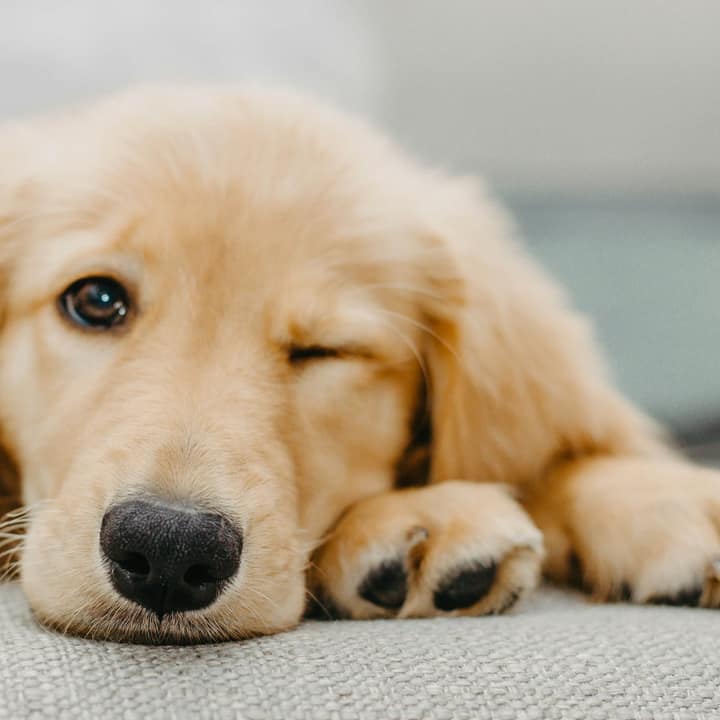
How to upscale an image with AI
Select your image
Choose, drag, or paste any photo, graphic, or illustration from your device.
Select scale factor
Pick 2x to double resolution or 4x to quadruple pixel dimensions with on-device AI.
Compare and export
Inspect crisp details with the split before/after viewer and download as PNG, JPG, or WebP.
100% on-device AI
Neural network inference executes entirely inside your browser via WebAssembly and WebGPU; images never leave your device.
Tiled memory protection
Processes large images in overlapping 128px tiles with seamless feathered blending to prevent browser memory crashes.
Bicubic baseline comparison
Toggle between traditional bicubic scaling and AI detail recovery using keyboard- or tap-operable split sliders.
What is AI Upscaler?
Improve Image Quality uses on-device neural super-resolution to enhance visual fidelity, recover crisp edge definitions, and suppress pixelation and compression noise in photos and graphics.
What happens to your photo
Four-step on-device pipeline from intake to final encoding without server roundtrips.
Inspect
Decodes source image locally and checks output against the 4096px long edge and 16.7 MP memory safety caps.
Tile partition
Divides the image into overlapping 128px tiles with 8px safety margins.
Super-resolve
Runs the on-device Real-ESRGAN super-resolution network on each tile, with live progress and a time estimate.
Feather & blend
Reassembles tiles using mathematical partition-of-unity feathered blending to eliminate all seams.
Absolute client-side privacy
No images, pixel values, or metadata are ever transmitted over the network; processing stays strictly on your physical device.
Persistent cached model
The 5 MB model downloads once and is stored in browser Cache Storage for instant offline use.
Keyboard & tap comparison
Navigate the before/after split slider using arrow keys, spacebar toggle, or responsive mobile tap controls.
Bicubic baseline toggle
Verify AI reconstruction quality directly against standard browser interpolation with a single click.
Progress and cancellation
Track tile-by-tile progress in real time with the ability to safely cancel processing at any point.
Commercial Apache-2.0 license
Built on permissive open-source models and runtimes, freely usable for personal and commercial projects.
Read the full guide
Low image quality is one of the most common frustrations in digital media. Whether you are dealing with heavily compressed images downloaded from social media platforms, low-resolution camera phone snapshots taken in dim lighting, or historic scanned family prints, poor visual quality detracts from the impact of your visual content.
In the past, photo editors relied on standard sharpening filters (such as unsharp masking or high-pass overlays) to give the illusion of higher quality. While these tools increase local contrast along major edges, they cannot reconstruct lost detail. Instead, they often amplify sensor grain, accentuate ugly JPEG compression blocks, and produce unnatural white halos around subjects.
The AI Upscaler takes a fundamentally superior approach: using on-device deep learning super-resolution, it analyzes the semantic and structural content of your image to genuinely improve image quality, restoring lost textures and sharpening silhouettes without adding noise or halo artifacts.
How neural super-resolution enhances image quality
Deep learning models improve image quality through several interrelated mechanisms:
- High-frequency texture synthesis: Low-resolution images lose micro-textures—such as skin pores, fabric weaves, wood grain, and distant foliage. The Real-ESRGAN network recognizes these surfaces and synthesizes realistic, organic textures consistent with the surrounding material.
- Edge sharpening without halos: Rather than simply darkening dark pixels and brightening light pixels across a border, the neural network predicts steep, well-defined edge contours. Lines in typography, architectural boundaries, and vehicle outlines become crisp and razor-sharp.
- Artifact and noise suppression: Low-bitrate JPEG encoding breaks images into 8×8 pixel macroblocks and introduces high-frequency ringing around sharp borders. The AI network is trained to differentiate between true image details and compression flaws, smoothing out compression artifacts while enhancing the genuine visual subject.
- Color gradient smoothing: Low-quality images frequently exhibit color banding (posterization) across subtle gradients like blue skies and portrait skin tones. The model smoothly interpolates color gradations, restoring natural tonal transitions.
How to improve your photo quality step by step
- Select your image: Drop, paste, or select your low-quality photo.
- Choose your scale factor: Select 2x for a clean, natural enhancement that doubles linear resolution and quadruples pixel density. Choose 4x if your image is very small and requires maximum detail expansion.
- Run on-device AI: Click the start button. The neural network downloads once to your browser cache and processes your image tile by tile directly on your device.
- Verify quality improvements: Use the interactive comparison slider to sweep between the original and enhanced versions. Click the Bicubic baseline toggle to confirm how much extra clarity the AI generated compared to standard interpolation.
- Download your enhanced image: Save as a lossless PNG, crisp JPG, or modern WebP file.
100% private, on-device processing
Most AI image enhancement services operate as remote cloud APIs, requiring you to upload your personal photos, client files, and confidential graphics to distant servers. Our privacy policy guarantees a different standard: all neural network computation takes place locally in your browser via WebGPU and WebAssembly. Your photos never leave your computer, ensuring complete privacy, zero upload delays, and total creative control.
How it compares
How AI Upscaler compares with server-based tools and desktop software.
| Capability | Glowpixel Labs | Typical cloud AI upscaler | Traditional desktop software |
|---|---|---|---|
| Data privacy | 100% on-device (zero photo uploads) | Uploads images to remote server queues | Local, but requires installed desktop software |
| Account required | None; instant browser access | Mandatory signup, email, or credits | Often requires paid license or subscription |
| Model footprint | Compact ~5 MB model (1.2 M parameters) | Proprietary server-side black box | Gigabytes of desktop neural runtime installs |
| Memory protection | Tiled 128px inference with hard caps | Arbitrary server limits and watermarks | High VRAM requirements or out-of-memory crashes |
| Comparison tools | Keyboard-operable split + bicubic baseline | Basic drag slider or static thumbnail | Separate layers and manual blend modes |
| Licensing | Commercial-ready Apache-2.0 model | Restrictive terms, subscriptions, or watermarks | Varies by software license |
Who uses it
Built for photographers, designers, developers, and privacy-conscious teams.
Photographers and digital archivists
Breathe new life into vintage digital camera files, cropped wildlife shots, and scanned family prints by restoring edge sharpness and recovering natural textures without artificial halos.
Graphic designers and print professionals
Prepare client logos, web graphics, and low-resolution raster assets for large-format printing, banners, merchandise, and high-DPI displays without jagged pixelation.
Ecommerce sellers and creators
Upgrade manufacturer product shots and digital artwork to meet high-resolution marketplace standards on Amazon, Shopify, and Etsy while keeping unreleased assets completely confidential.
Discover more
Preset sizes and formats
- Add Caption to Image Online Free: Top & Bottom Text
- Add Logo Watermark to Photo Online Free
- Add Text to Photo Online: Free Text Overlay Tool
- Add Text Watermark to Photo Online Free
- App Icon Generator for Web & Mobile PWAs
- Apple Touch Icon Generator Online Free
- Extract Arabic Text from an Image
- Convert AVIF to JPG
- Convert AVIF to PNG
- Convert Photo to Black and White
- Blur Face in Photo Free
- Blur License Plate in Car Photos
- Brighten Image Online: Lighten Dark Photos
- Censor Part of an Image Free
- Change Image Background to White
- Image Color Picker Online with Eyedropper
- Combine Photos Side by Side Online Free
- Compress AVIF
- Compress to 100KB
- Compress to 1MB
- Compress to 200KB
- Compress to 20KB
- Compress to 500KB
- Compress to 50KB
- Compress JPG
- Compress PNG
- Compress WEBP
- Convert Receipt to PDF
- Crop Image to 16:9 Widescreen
- Crop Image to 9:16 Vertical Ratio
- Crop Image to Circle Online Free
- Crop Image to Square
- Enlarge Images Without Losing Quality
- Extract Colors from Image Free
- Extract Text from an Image On Device
- Flip Image Horizontally or Vertically
- French Image to Text OCR
- Glow Effect Photo Editor
- Convert HEIC to JPG
- Convert HEIC to PDF
- Convert HEIC to PNG
- Convert HEIC to WebP
- Find Hex Code from Image Free
- Image Color Palette Generator Free
- Improve Image Quality Online with AI
- Increase Image Contrast
- Increase Image Resolution Online with AI
- Free Instagram Grid Splitter: 3x3 & 3x1 Tiles
- Convert JPG to ICO Favicon
- Convert JPG to PDF
- Convert JPG to PNG
- Convert JPG Photos to Editable Text
- Convert JPG to WebP
- Make a Meme Online Free: Custom Meme Maker
- Make Image Background Transparent in Browser
- Meme Caption Maker: Heavy Impact Typography
- Merge Images into PDF
- Passport Photo Background Remover Privately
- Free Photo Collage Maker: Multi-Photo Layouts
- Photo Filters Online: 8 One-Tap Looks
- Photo to Pencil Drawing: Realistic Sketch Filter
- Photo to Sketch Converter
- Pixel Art Converter: 8-Bit Retro Art
- Pixelate Image Online Free
- Convert PNG to AVIF
- Convert PNG to ICO Online Free
- Convert PNG to JPG
- Convert PNG to PDF
- Convert PNG to WebP
- Pop Art Photo Filter: Andy Warhol Style
- Product Photo Background Remover & Touch-up
- Remove Background from Image Online Privately
- Remove EXIF Data from JPG Files
- Remove EXIF and Metadata from PNG
- Remove GPS Location from Photos
- Remove Metadata from an Image
- Remove White Background from Images Privately
- Resize Image for Facebook Cover
- Resize Image for Instagram Feed
- Resize Image for Instagram Story
- Resize Image for YouTube Thumbnail
- Resize images by exact pixels
- Resize images to passport photo size
- Rotate Image Left or Right
- Turn a Scanned Image into Text
- Convert a Screenshot to Text Privately
- Sharpen Image Online: Fix Blurry Photos
- Spanish Image to Text OCR
- Split Image into Parts Online: Slices & Tiles
- Tiled Watermark on Image Online Free
- Upscale Images 4x with On-Device AI Super-Resolution
- View EXIF Data in a Photo
- Watermark Multiple Images in Batch
- Convert WebP to JPG
- Convert WebP to PDF
- Convert WebP to PNG
Upcoming image tools
Questions, answered
Common questions about formats, privacy, performance, and offline capabilities.
Can AI genuinely improve image quality?
Yes. By training on vast collections of low- and high-resolution image pairs, deep learning super-resolution models learn the statistical structure of natural textures. The model identifies where compression or low resolution destroyed visual information and reconstructs plausible, sharp details.
What types of image degradation can the AI fix?
The tool is exceptionally effective at repairing low pixel resolution, soft edge transitions, blocky JPEG compression artifacts, and slight softness from digital zooming. Extreme motion blur or severe lens defocus cannot be completely eliminated, but overall clarity is substantially enhanced.
How is this different from traditional sharpening filters?
Standard unsharp mask filters merely boost edge contrast by adding dark and light halos around boundaries, often exaggerating digital noise and grain. AI super-resolution reconstructs authentic fine structures and textures without artificial edge ringing.
Do I have to upload my photos to an online cloud?
No. Everything runs strictly on your own device using in-browser WebGPU and WebAssembly. Your photos never travel across the internet.
Is improving image quality free on Glowpixel Labs?
Yes. The tool is free to use without subscriptions, watermarks, account requirements, or daily quotas.
Related tools
Complementary image tools running 100% in your browser.
Last updated: