Pop Art Photo Filter: Andy Warhol Style
Turn photos into vibrant 1960s pop art screenprints with high-saturation posterized inks.
- Never uploaded
- No sign-up
- No watermark
- Unlimited
- Works offline
Drag and drop your photos or a folder. or
Up to 100 MB each
Your photos never leave your device. Read the privacy policy.
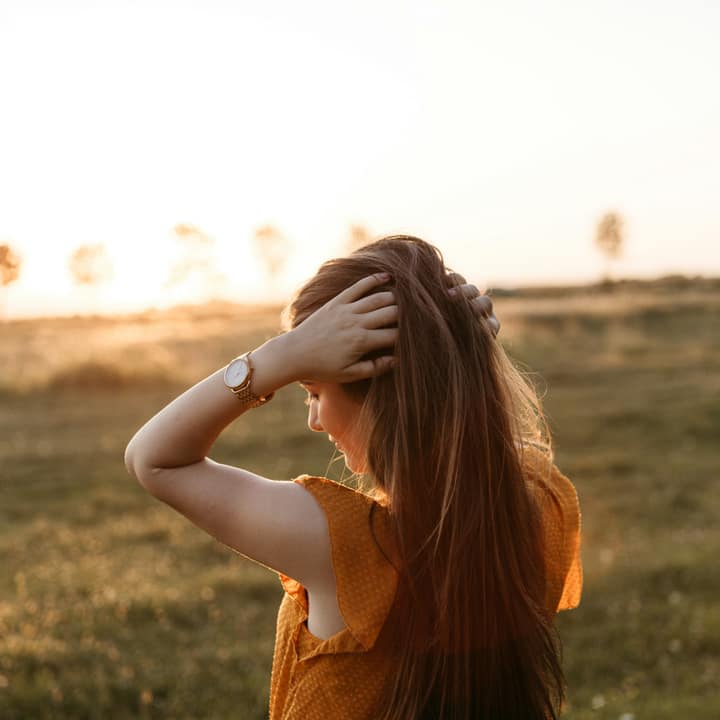
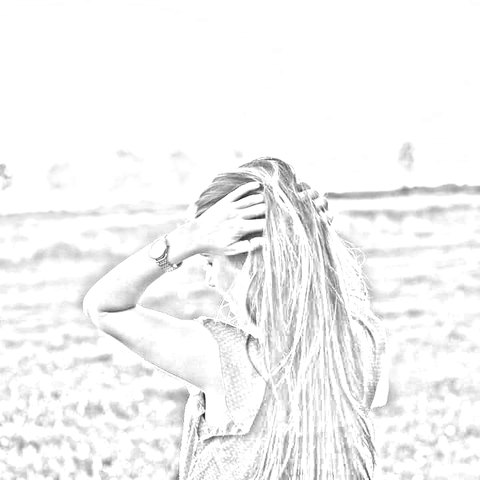
How to convert photos to sketch and artistic filters
Choose your photos
Select a single picture or a batch of up to 50 images in JPG, PNG, WebP, or AVIF format.
Select an artistic look
Pick from 10 styles like Pencil Sketch, Line Art, Charcoal, or Pop Art, and adjust sliders.
Export single photo or ZIP
Save your high-resolution artwork instantly or download the entire batch as an organized ZIP archive.
10 Distinct artistic looks
Turn pictures into graphite sketches, stark ink lines, velvety charcoal, 8-bit arcade pixels, or screenprint pop art.
Batch processing up to 50 photos
Process dozens of photos simultaneously with live progress reporting and instant streaming ZIP packaging.
100% Private local execution
Mathematical edge filters and color transforms run entirely in browser memory without sending files over the network.
What is Photo to Sketch & Art Filters?
Pop Art Photo Filter converts photographs into bold Andy Warhol style screenprint artwork directly in your web browser. By dividing luminance into four discrete tonal bands and mapping them to hyper-saturated vintage screenprint inks, it creates iconic 1960s pop art with full-resolution master exports and batch processing up to 50 photos without cloud uploads.
What happens to your photo
Four-step on-device pipeline from intake to final encoding without server roundtrips.
Intake
Decodes source images in browser memory with orientation correction and safe memory guardrails.
Analyze
Calculates directional luminance gradients, Sobel edge vectors, and color quantization tables.
Transform
Renders artistic line weights, crosshatching, dot matrices, and posterization bands in local memory.
Package
Generates full-resolution image outputs or streams batch results into a single compressed ZIP archive.
Zero network transmission
Your portraits, personal photos, and creative assets never leave your computer or phone.
Instant hold-to-compare
Press and hold the canvas or toggle compare mode to view the untouched original photo.
Batch up to 50 photos
Queue entire photo albums or asset folders and apply your preferred artistic look in seconds.
Automatic ZIP archiving
Batch results are automatically packaged into a clean, organized ZIP file using streaming fflate compression.
1-2 Sliders per style
Adjust stroke detail, line weight, charcoal density, or block sizes with intuitive controls.
Full-resolution rendering
Every filter computes at full native camera resolution during final export for crisp print quality.
Read the full guide
In the 1960s, Andy Warhol, Roy Lichtenstein, and the Pop Art movement revolutionized modern art by transforming everyday photography, consumer packaging, and celebrity portraits into bold, screenprinted cultural icons. Characterized by high-contrast posterization, flat graphic ink planes, and intensely saturated, clash-happy colors, pop art remains one of the most recognizable and energetic artistic movements in history.
The configuration on this page optimizes Photo to Sketch & Art Filters specifically for applying pop art filters to photos. By dividing image luminance into discrete tonal bands and mapping them to hyper-saturated screenprint inks, you can create iconic pop art masterpieces in seconds right inside your browser.
The science of screenprint posterization
Authentic silkscreen printmaking involves burning photographic stencils onto fine mesh screens, squeegeeing individual colored inks one layer at a time onto heavyweight paper.
Our on-device pop art engine replicates the visual signatures of physical screenprinting:
- 4-Band luminance posterization: The algorithm analyzes pixel luminance, quantizing continuous photographic gradients into four discrete tonal tiers: deep shadows, midtone shadows, midtone highlights, and specular peaks.
- Iconic silkscreen ink mapping: Rather than blending smooth transitional shades, the engine floods each tonal tier with pure, unadulterated graphic pigment—including electric magenta, vivid turquoise, sunny canary yellow, and midnight indigo.
- Hard edge ink separation: Silkscreen prints feature crisp boundaries where different ink colors meet. The filter sharpens transitions between color planes, eliminating digital blur and giving the piece authentic physical print weight.
Exciting creative uses for pop art
- Custom canvas wall art & gifts: Turn portraits of your kids, pets, or significant other into iconic four-panel pop art canvas prints that look straight out of a modern art museum.
- T-Shirt, apparel, and merchandise graphics: High-contrast pop art graphics translate effortlessly to screenprinting and direct-to-garment apparel printing on hoodies, tote bags, and t-shirts.
- Eye-catching social media branding: Stand out in crowded social media feeds with vibrant, hyper-saturated profile pictures, header banners, and YouTube channel art.
- Event and party invitations: Add energetic retro 1960s flair to birthday parties, retro dance nights, and gallery opening invitations.
Instant verification and complete local privacy
Press and hold the Compare button or tap directly on your canvas to toggle between your pop art transformation and the original photograph in real time, ensuring your subject remains instantly recognizable behind the vibrant colors.
Throughout the process, your personal photos, family snapshots, and creative files remain strictly confidential on your device. Glowpixel Labs processes all pixels locally in your web browser with zero server uploads and no account requirements. Read our privacy policy to explore our client-side architecture.
How it compares
How Photo to Sketch & Art Filters compares with server-based tools and desktop software.
| Feature | Glowpixel Art Filters | Cloud AI Filter Apps | Desktop Graphic Suites |
|---|---|---|---|
| Privacy & Security | 100% On-device, 0 bytes sent | Images uploaded to cloud servers | Local, but requires paid software |
| Batch Processing | Up to 50 photos with ZIP archive | Single image only or rate-limited | Batch actions require scripting |
| Processing Speed | Real-time client-side rendering | Queued server rendering delays | Fast, but heavy memory footprint |
| Cost & Sign-Up | Free, no account, no watermark | Subscription or credit-based | Expensive upfront license |
| Resolution Limits | Native full camera resolution | Frequently downscaled for free tier | Full resolution |
Who uses it
Built for photographers, designers, developers, and privacy-conscious teams.
Artists & Illustrators
Extract base line art and graphite sketches from photo references to jumpstart digital paintings and comic book layouts.
Gamers & Pixel Art Creators
Convert real-world textures and character photos into stylized 8-bit retro arcade sprites and profile pictures.
Printmakers & Crafters
Generate high-contrast line drawings for laser etching, Cricut vinyl cutting, screenprinting, and coloring book pages.
Discover more
Preset sizes and formats
- Add Caption to Image Online Free: Top & Bottom Text
- Add Logo Watermark to Photo Online Free
- Add Text to Photo Online: Free Text Overlay Tool
- Add Text Watermark to Photo Online Free
- App Icon Generator for Web & Mobile PWAs
- Apple Touch Icon Generator Online Free
- Extract Arabic Text from an Image
- Convert AVIF to JPG
- Convert AVIF to PNG
- Convert Photo to Black and White
- Blur Face in Photo Free
- Blur License Plate in Car Photos
- Brighten Image Online: Lighten Dark Photos
- Censor Part of an Image Free
- Change Image Background to White
- Image Color Picker Online with Eyedropper
- Combine Photos Side by Side Online Free
- Compress AVIF
- Compress to 100KB
- Compress to 1MB
- Compress to 200KB
- Compress to 20KB
- Compress to 500KB
- Compress to 50KB
- Compress JPG
- Compress PNG
- Compress WEBP
- Convert Receipt to PDF
- Crop Image to 16:9 Widescreen
- Crop Image to 9:16 Vertical Ratio
- Crop Image to Circle Online Free
- Crop Image to Square
- Enlarge Images Without Losing Quality
- Extract Colors from Image Free
- Extract Text from an Image On Device
- Flip Image Horizontally or Vertically
- French Image to Text OCR
- Glow Effect Photo Editor
- Convert HEIC to JPG
- Convert HEIC to PDF
- Convert HEIC to PNG
- Convert HEIC to WebP
- Find Hex Code from Image Free
- Image Color Palette Generator Free
- Improve Image Quality Online with AI
- Increase Image Contrast
- Increase Image Resolution Online with AI
- Free Instagram Grid Splitter: 3x3 & 3x1 Tiles
- Convert JPG to ICO Favicon
- Convert JPG to PDF
- Convert JPG to PNG
- Convert JPG Photos to Editable Text
- Convert JPG to WebP
- Make a Meme Online Free: Custom Meme Maker
- Make Image Background Transparent in Browser
- Meme Caption Maker: Heavy Impact Typography
- Merge Images into PDF
- Passport Photo Background Remover Privately
- Free Photo Collage Maker: Multi-Photo Layouts
- Photo Filters Online: 8 One-Tap Looks
- Photo to Pencil Drawing: Realistic Sketch Filter
- Photo to Sketch Converter
- Pixel Art Converter: 8-Bit Retro Art
- Pixelate Image Online Free
- Convert PNG to AVIF
- Convert PNG to ICO Online Free
- Convert PNG to JPG
- Convert PNG to PDF
- Convert PNG to WebP
- Pop Art Photo Filter: Andy Warhol Style
- Product Photo Background Remover & Touch-up
- Remove Background from Image Online Privately
- Remove EXIF Data from JPG Files
- Remove EXIF and Metadata from PNG
- Remove GPS Location from Photos
- Remove Metadata from an Image
- Remove White Background from Images Privately
- Resize Image for Facebook Cover
- Resize Image for Instagram Feed
- Resize Image for Instagram Story
- Resize Image for YouTube Thumbnail
- Resize images by exact pixels
- Resize images to passport photo size
- Rotate Image Left or Right
- Turn a Scanned Image into Text
- Convert a Screenshot to Text Privately
- Sharpen Image Online: Fix Blurry Photos
- Spanish Image to Text OCR
- Split Image into Parts Online: Slices & Tiles
- Tiled Watermark on Image Online Free
- Upscale Images 4x with On-Device AI Super-Resolution
- View EXIF Data in a Photo
- Watermark Multiple Images in Batch
- Convert WebP to JPG
- Convert WebP to PDF
- Convert WebP to PNG
Upcoming image tools
Questions, answered
Common questions about formats, privacy, performance, and offline capabilities.
What photos produce the best pop art screenprints?
Close-up portraits with clear facial expressions, pet photos, vintage cars, everyday consumer objects, and musical instruments look incredible as pop art. Defined silhouettes and strong lighting create bold, iconic graphic shapes.
Can I choose different pop art color palettes?
Yes. Use the Color Saturation / Palette slider to cycle through iconic colorways—including Warhol classic (Hot Pink, Electric Cyan, Neon Yellow, Navy), Electric Violet, and Retro Screenprint Teal.
Can I process multiple photos into pop art at once?
Yes. You can select up to 50 photos simultaneously. The tool converts each picture locally into pop art and downloads the complete batch in an organized ZIP archive.
Does applying the pop art filter upload my photos to any server?
No. All posterization and color mapping algorithms run strictly client-side on your own device. Your pictures are never uploaded, stored, or processed on remote cloud servers.
Related tools
Complementary image tools running 100% in your browser.
Last updated: